For K-2 teachers
Your whole day, planned and run from one place.
Attendance, the morning agenda, name pickers, centers, whole class games and the behavior log, all behind one login, all remembering how you left them.
You add a card to start. Nothing is charged for 30 days, and you cancel in two clicks.
- No student logins, ever
- Nothing to install
- Cancel in two clicks
- Built for a real K-2 room
Everything you get, in one look.
Nothing to install, and your class list typed once.
 The Classroom BoardNew in October
 K-1 Skills ScreenerK and 1st, three times a year
 Practice PagesA page per childAttendance Check-Ins5 themesBehavior LogAnd a class reward boardDaily AgendasA theme for every seasonName PickerFair turns
 Groupers & CentersRotations on a timer
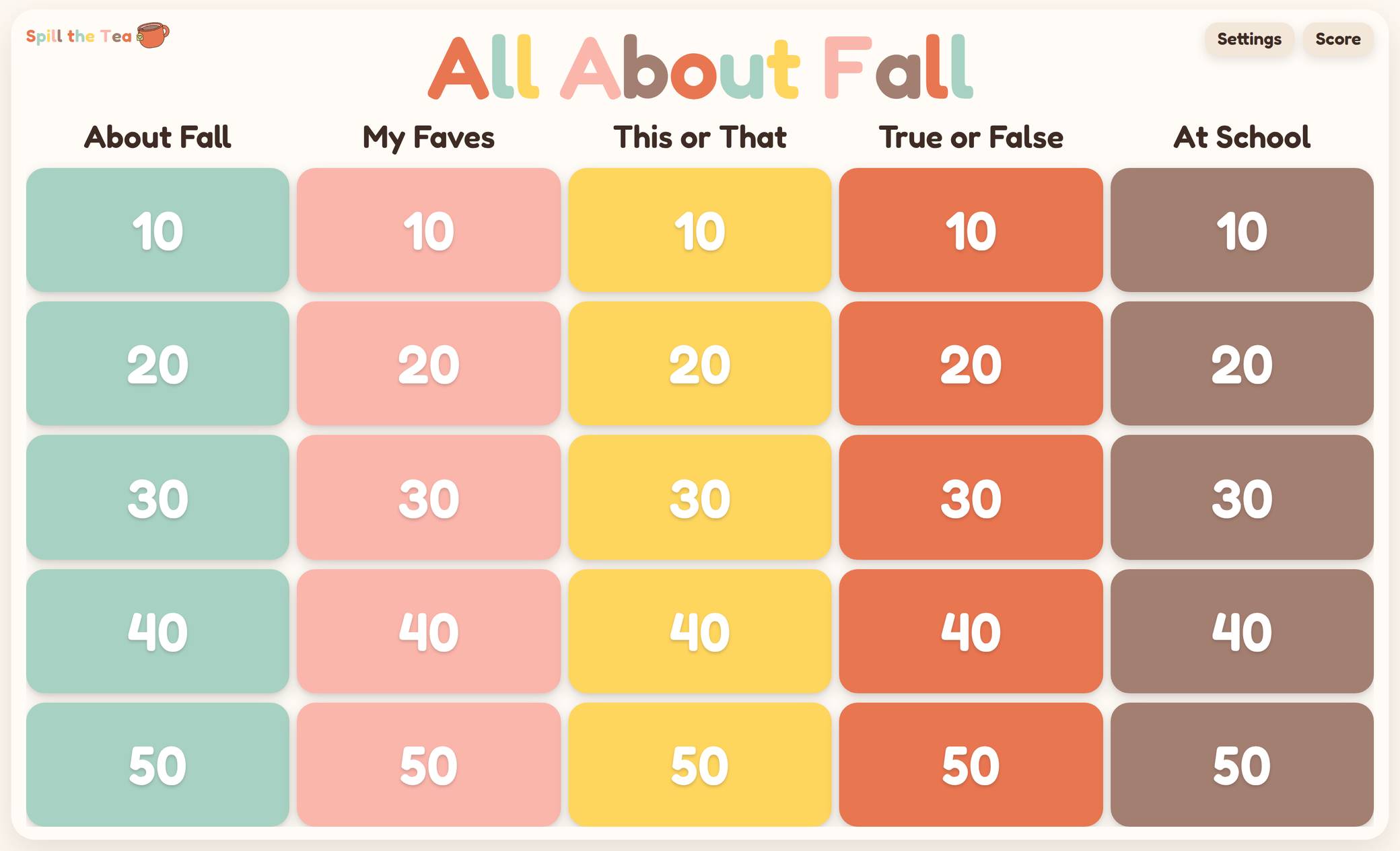 Spill the Tea225 questions written
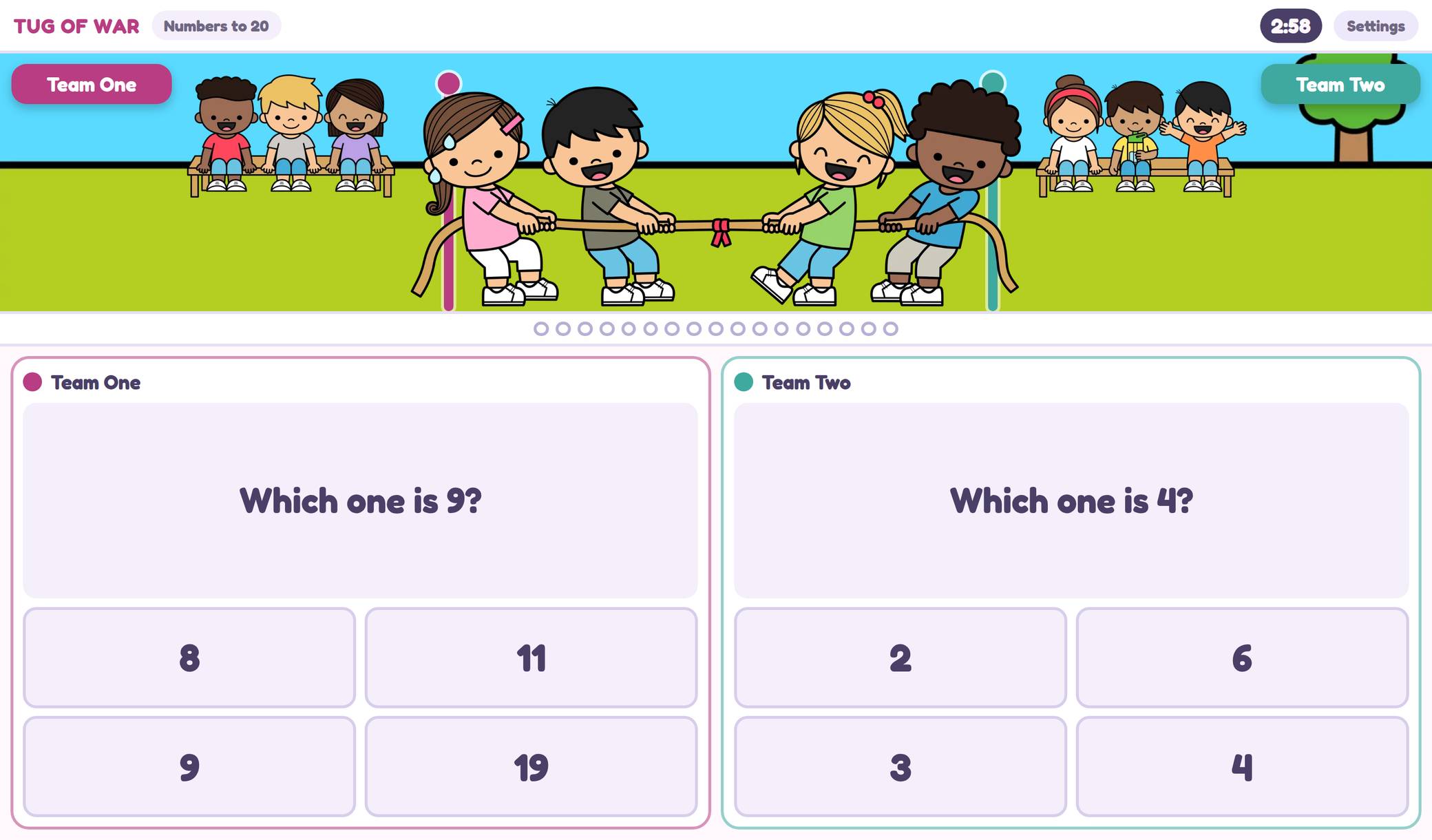 Tug of War60 math skills
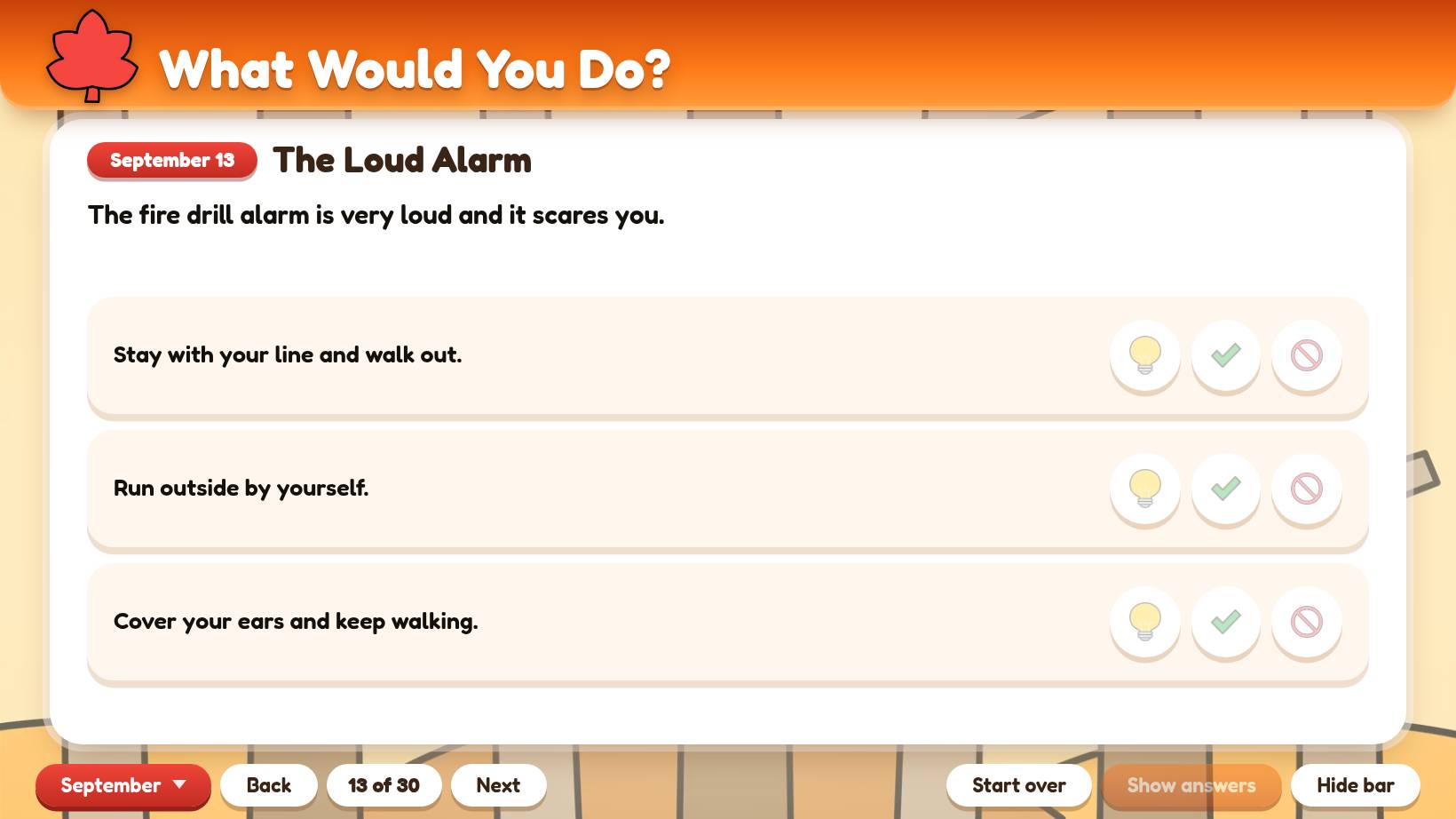 SEL Morning MeetingA deck a month
★★★★★“I am OBSESSED with the attendance check in… and so are my students! I will NEVER have to remind them to make their lunch choice again because they are so excited to come in each morning and see their character! I also LOVE that it incorporates attendance, lunch count, and a feelings check in all in one. All the morning info I need in one spot. So simple and cute and teacher and students friendly! Thank you!”
★★★★★“I love the design of it! I’ve started playing with the group picker and it was really helpful to help put in which kids should not be together and to help make mixed groups! It worked great!”
★★★★★“I love how this is set up! It was easy to set up and open on my Smartboard. So many options! I love that they can tap their name for attendance, as some of my students are still working on name recognition.”
The Classroom Board
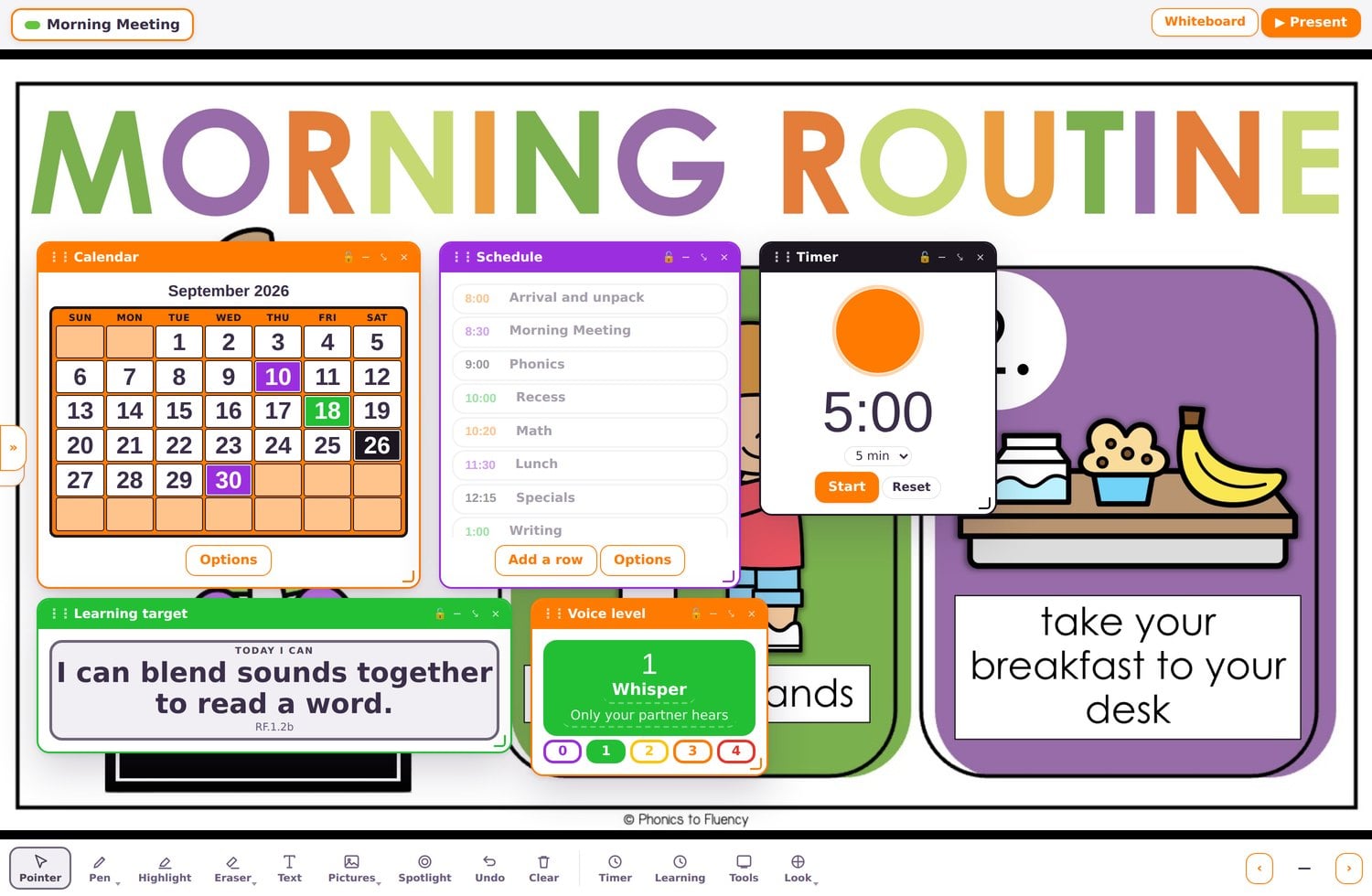
Your own slides, full screen, with the tools on top of them. Bring in a slideshow from Canva, Google Slides or PowerPoint, or a PDF, and the whole thing becomes your board. Drag a timer onto it, pull a name, mark the calendar, graph what the class voted. 26 tools on one screen, and a separate board for each part of your day. Build morning meeting once, build math once, then tap between them.
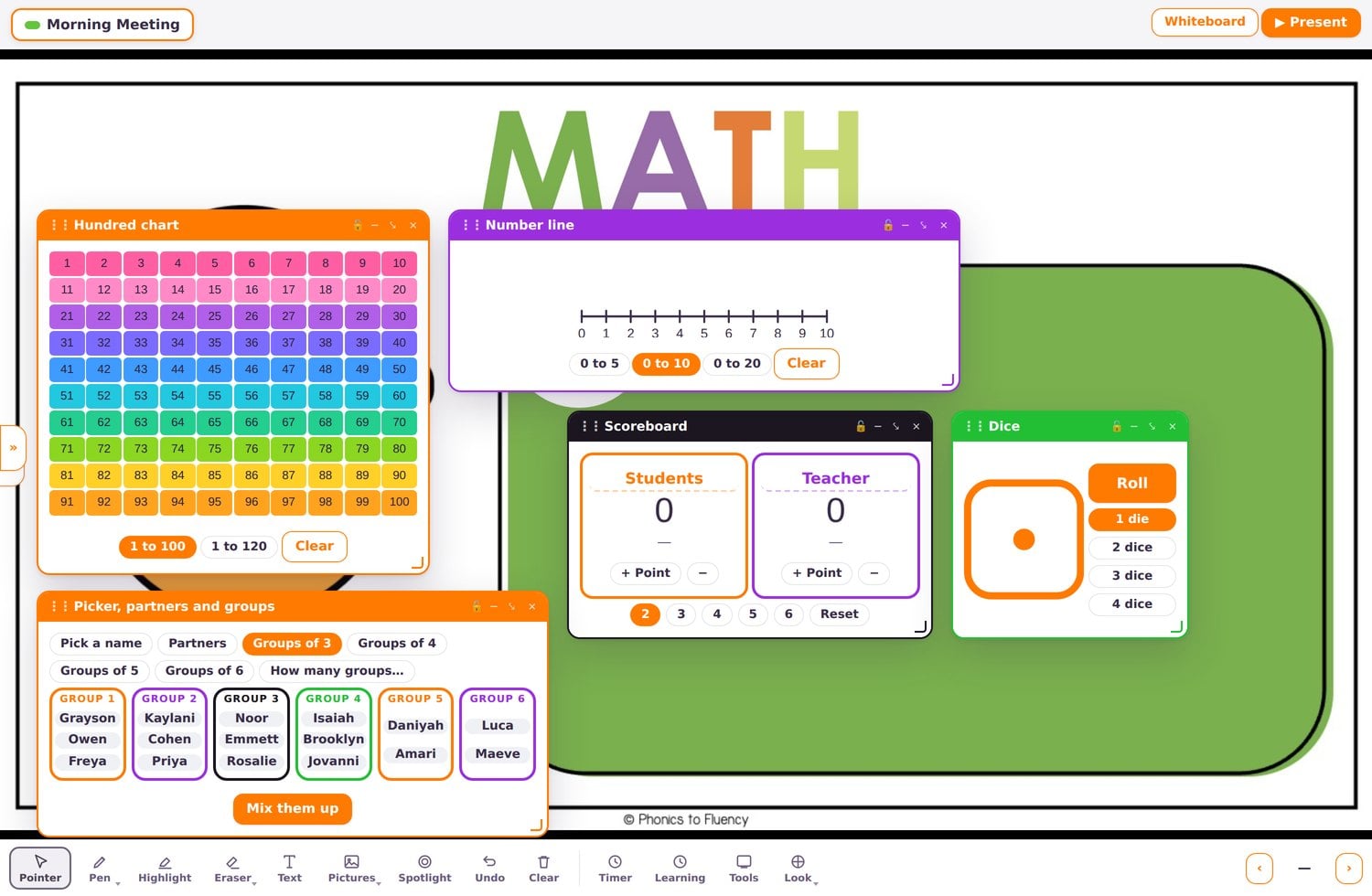
26 widgets so far
Here now, and in the one price. Every other tool sits beside it on the same login.
Open any one to see inside.
New in October: the Classroom Board. New in September: the K-1 Skills Screener, the Behavior Log, Practice Pages, Spill the Tea, Tug of War, Letter Match, What’s the Word, and a Composition Notebook theme for the agenda board.
New in SeptemberK-1 Skills Screener
The script on your screen, the letters on her iPad.
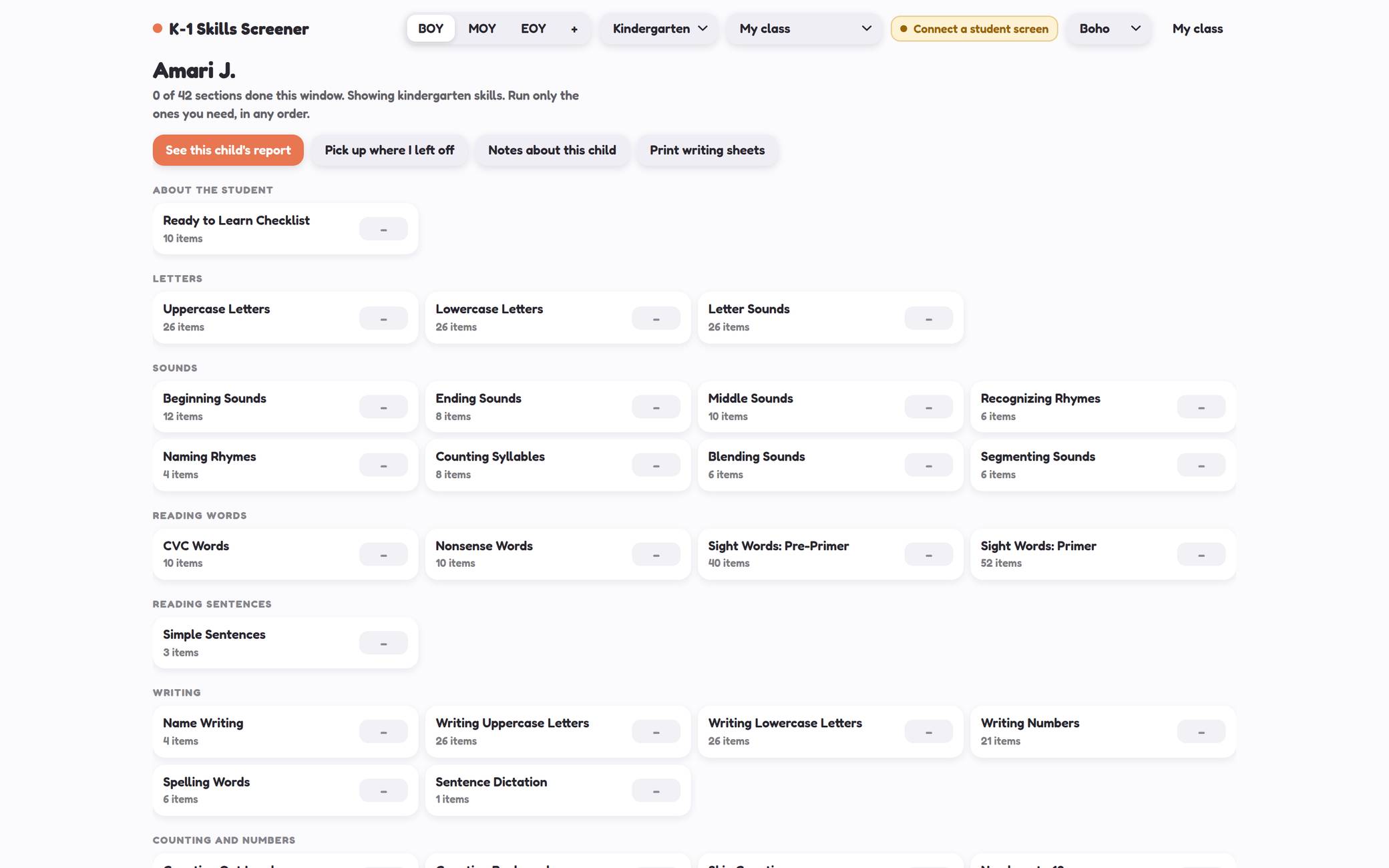
42 sections for kindergarten, 48 for first grade. Letters, sounds, rhyming, blending, sight words, writing, counting, comparing, shapes. You run only the ones you need, in any order.
The word for word script sits on your screen while the child answers on her own iPad across the table. No student account and no login, just a code. Every mark saves about a second after you make it, so you can stop when the bell rings and pick up on Thursday.
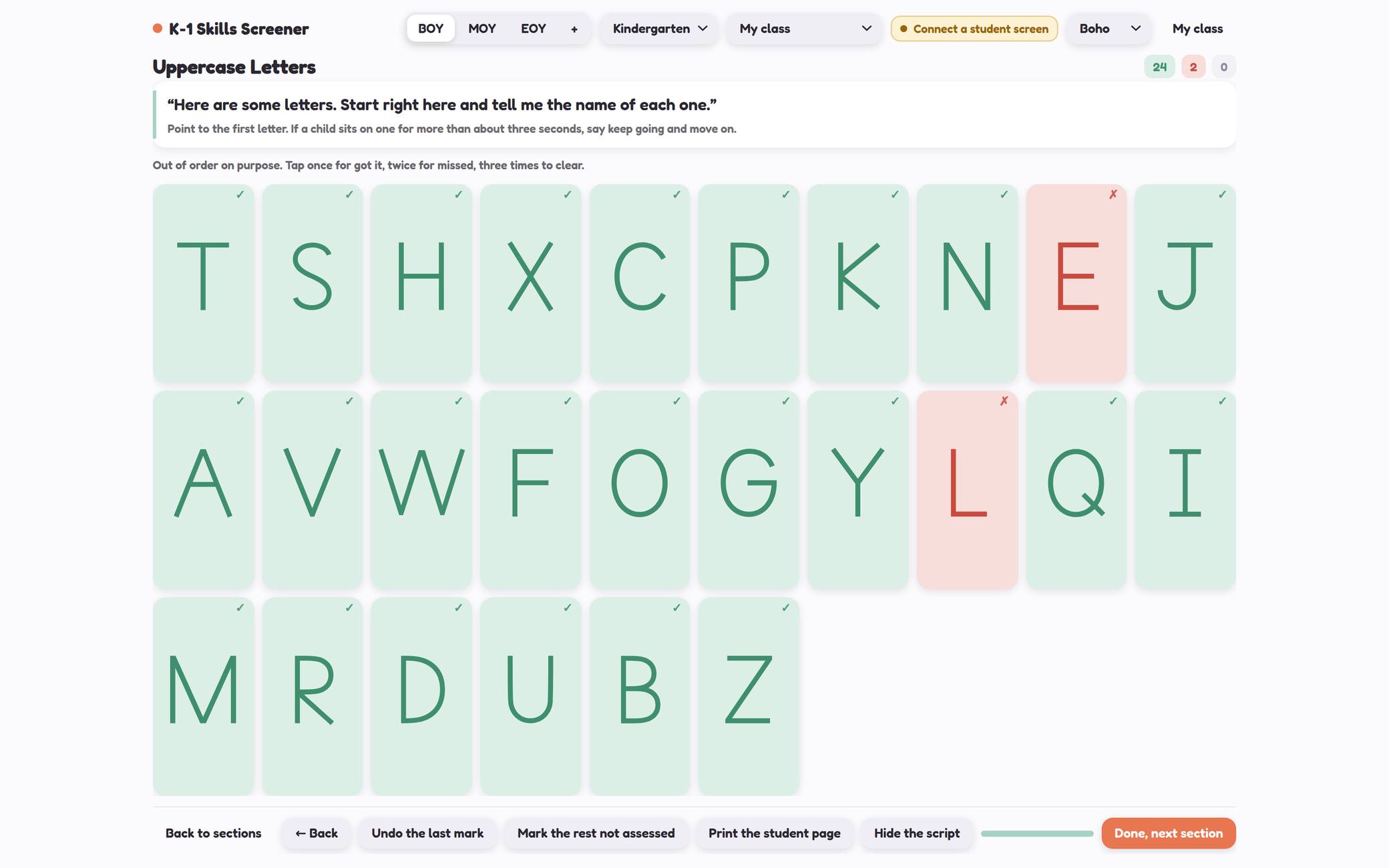
Tap once for got it, twice for missed. The letters are out of order on purpose.
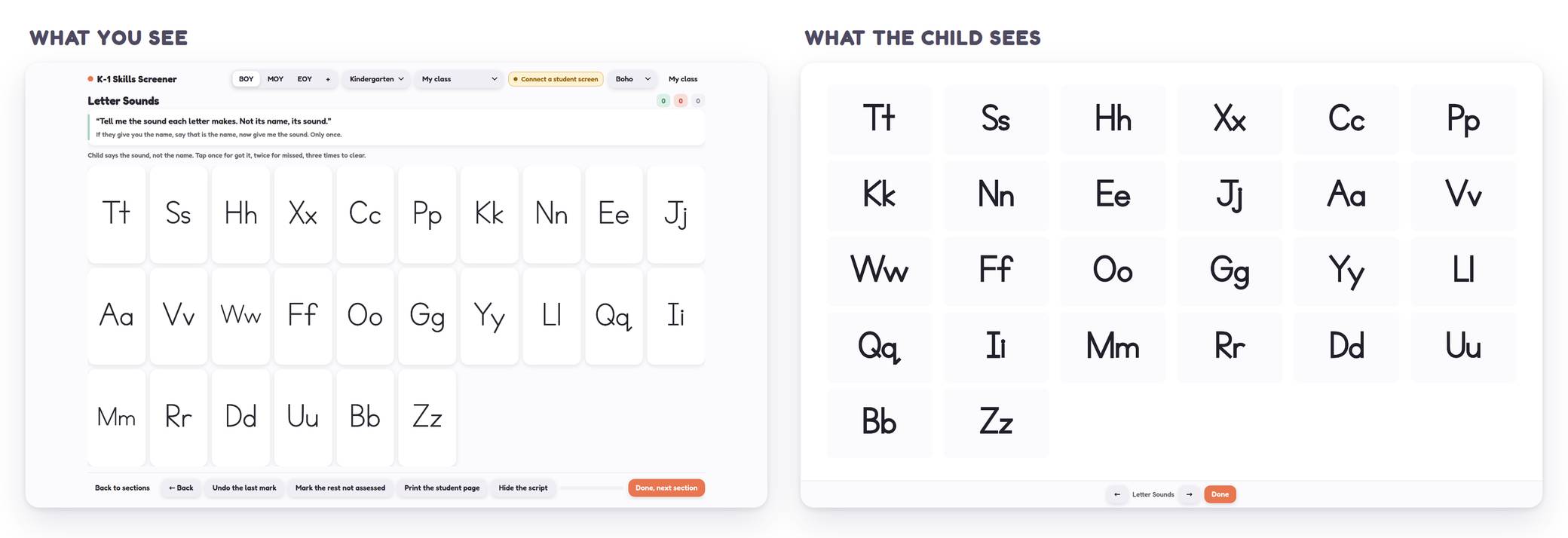
No marks, no score, no menu to wander off into.
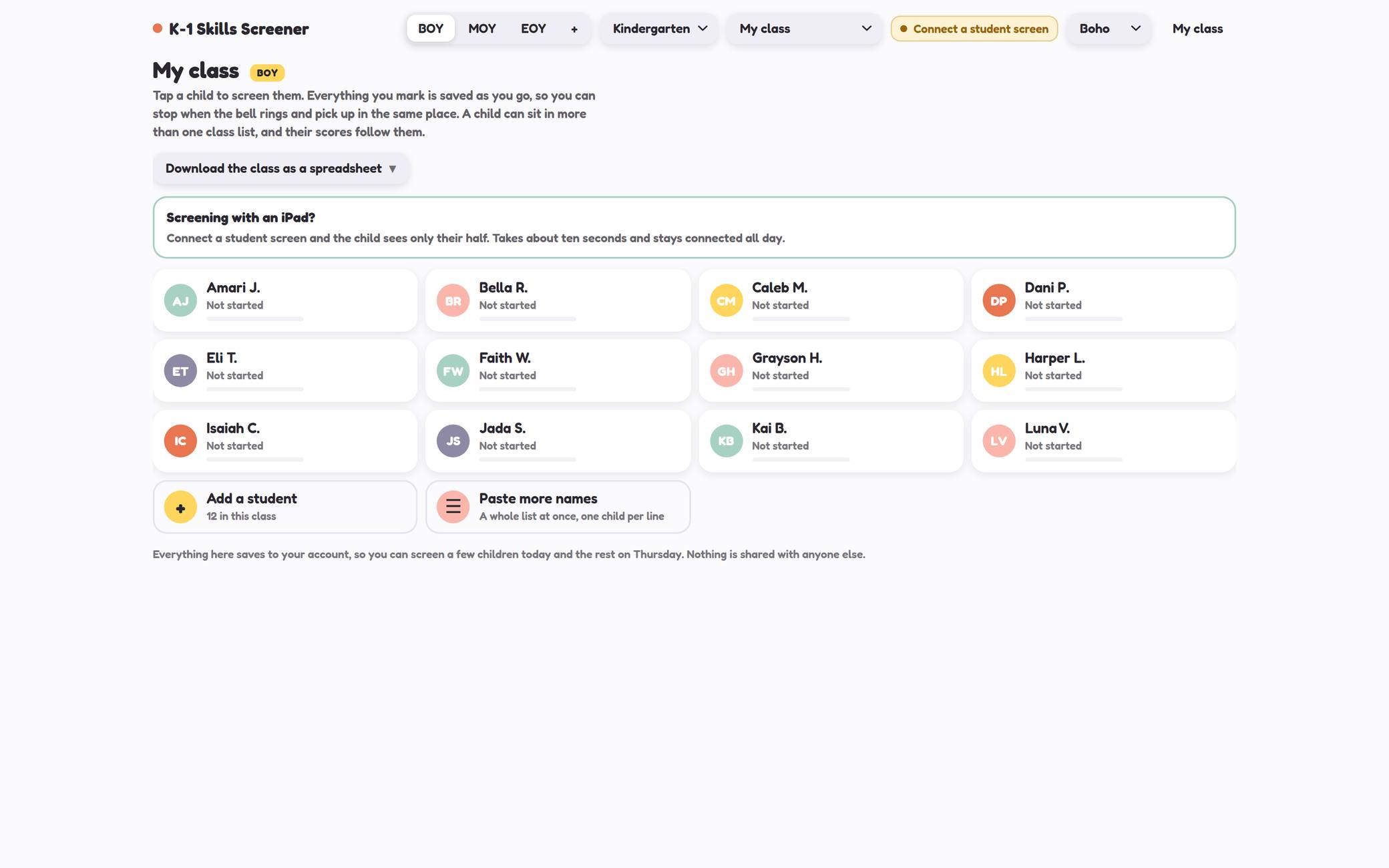
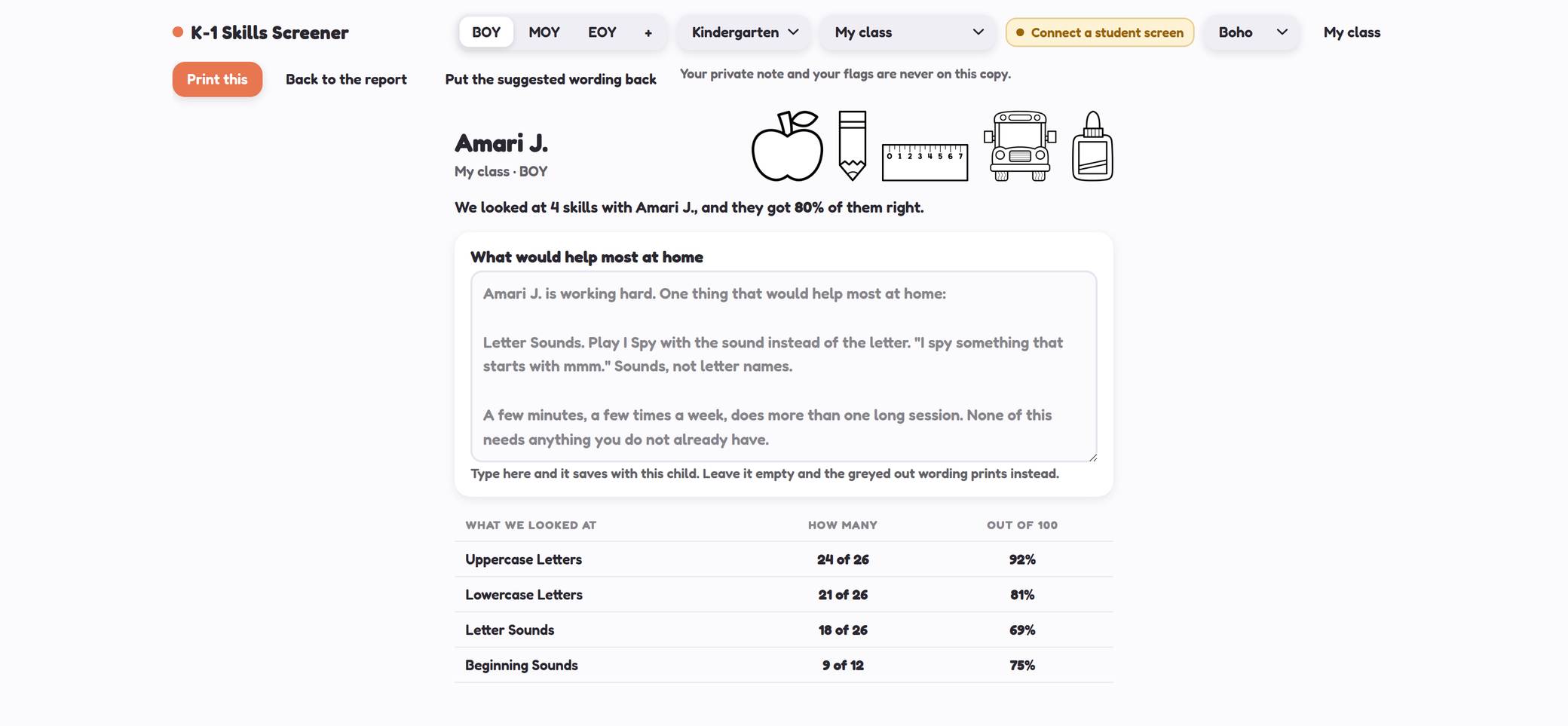
Your private notes and your flags never appear on it.
New in SeptemberPractice Pages
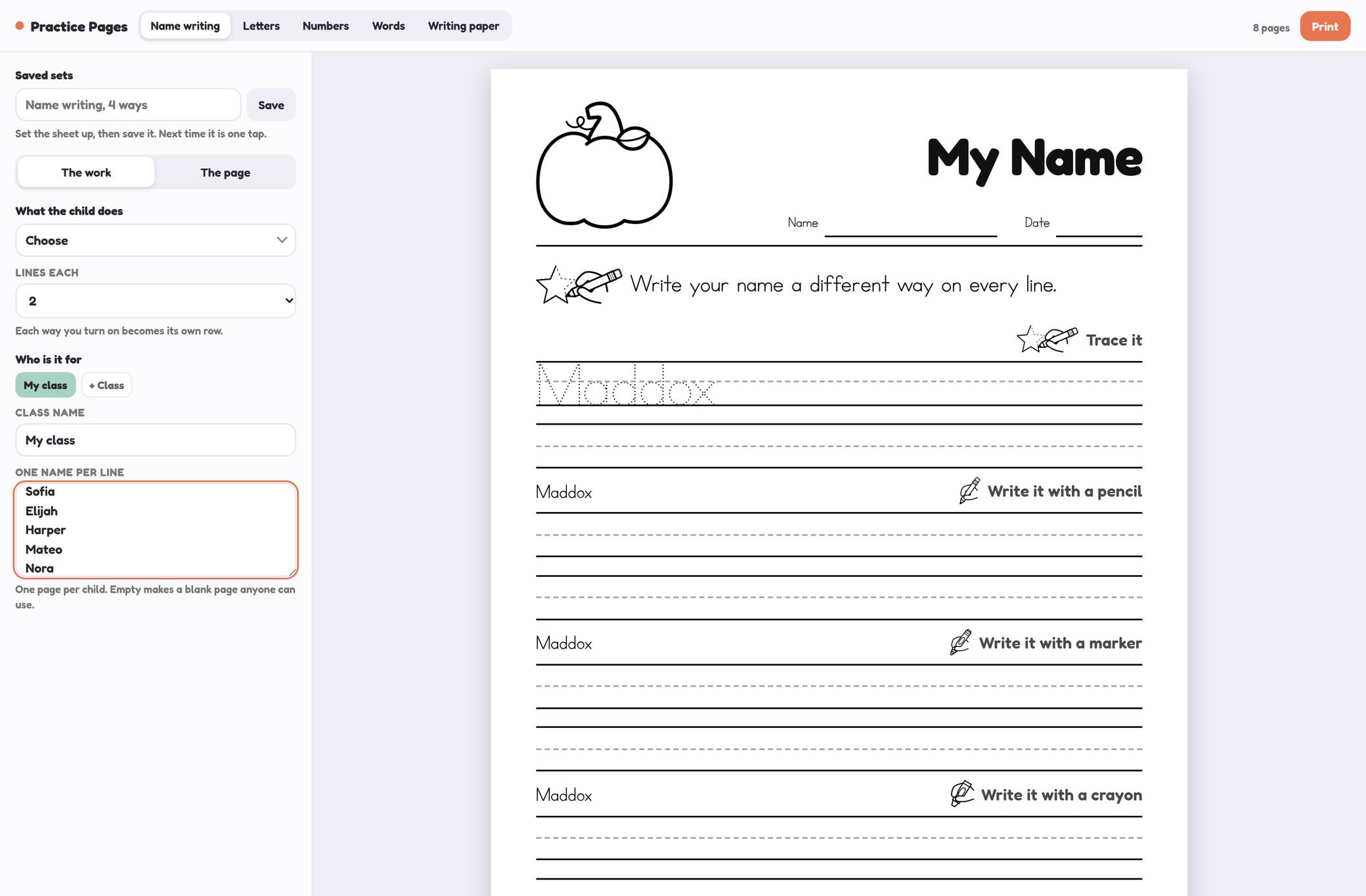
Paste 24 names, get 24 pages with their names already on them.
Five skills in one tool: name writing, letters, numbers, your own word lists, and plain writing paper. Paste your class list and every child gets her own sheet, with her name already on it to trace. 24 children, 24 different pages, and you never write a name by hand.
Six ways to practise a name, from tracing to play dough. Forty seasonal toppers, black and white on purpose because 24 of these go through a copier.
Trace it, write it with a pencil, a marker, a crayon. Change the skill and every page changes with it.
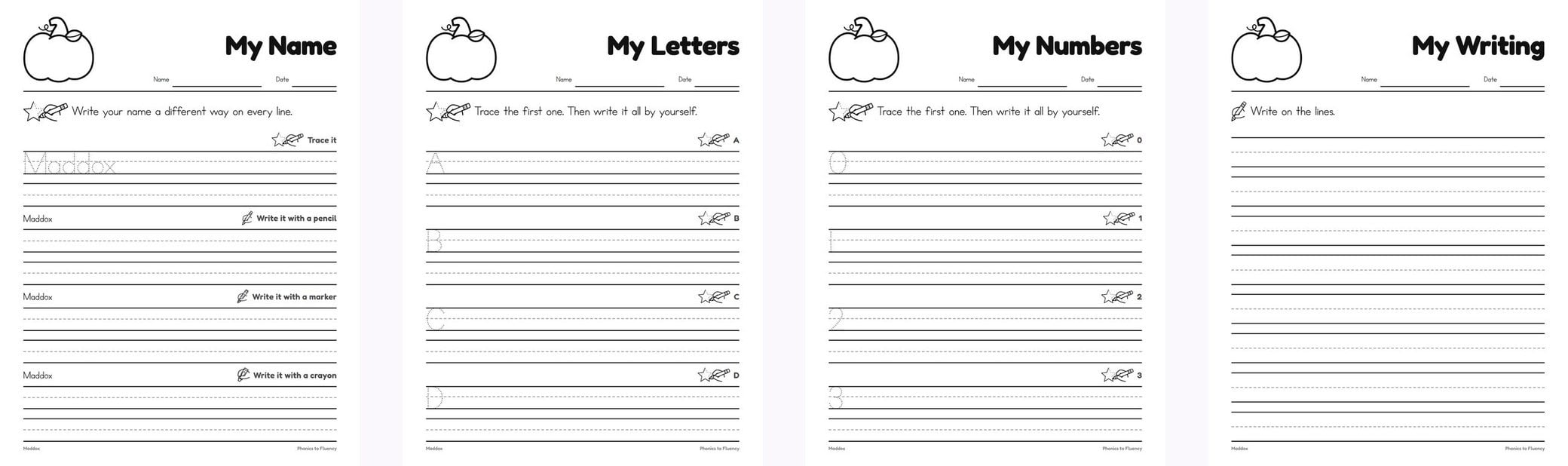
There is a word list version too, for this week’s spelling words.
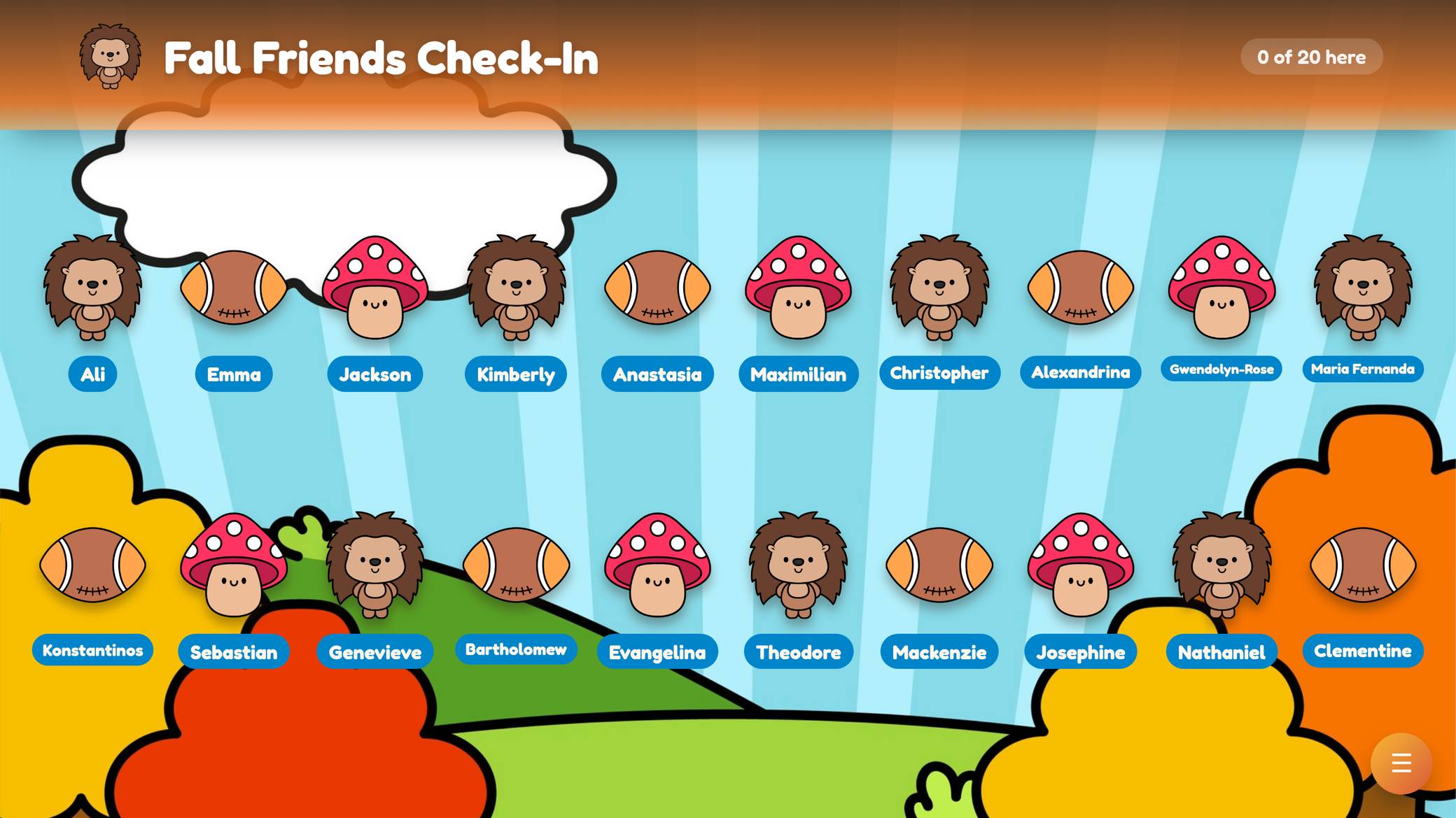
Check inAttendance Check-Ins
They tap their own name, and you get the lunch count.
Children tap themselves in on the board. You get an instant attendance report, a lunch count, and an optional private feelings check-in that only you can see.
Five themes so far, with more each season. This one works on an iPad too, so it can go round the room instead of children coming to the board.
Long names shrink rather than getting cut off, because a five year old cannot read “Alexandri…”.
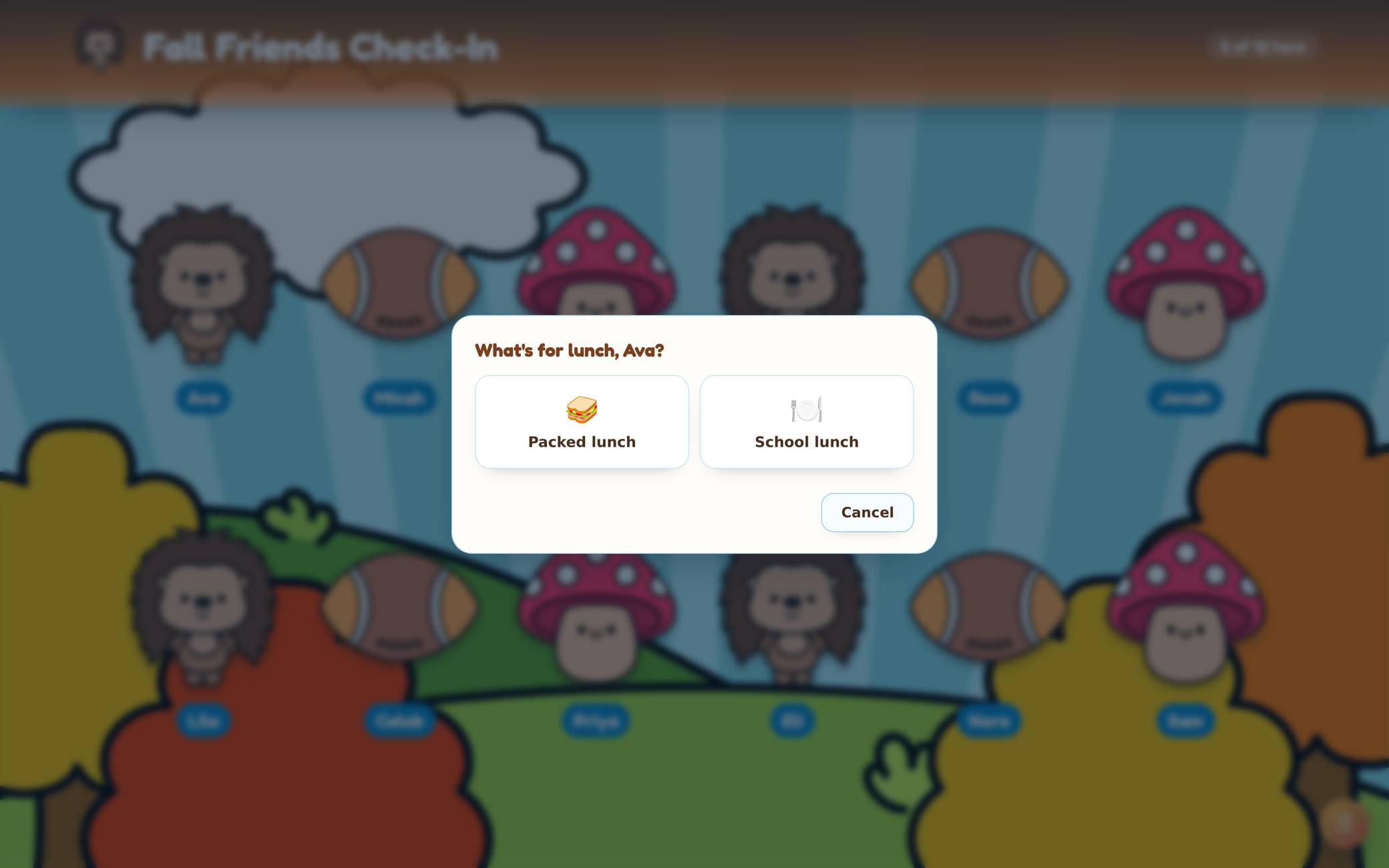
Turn it off and it never appears.
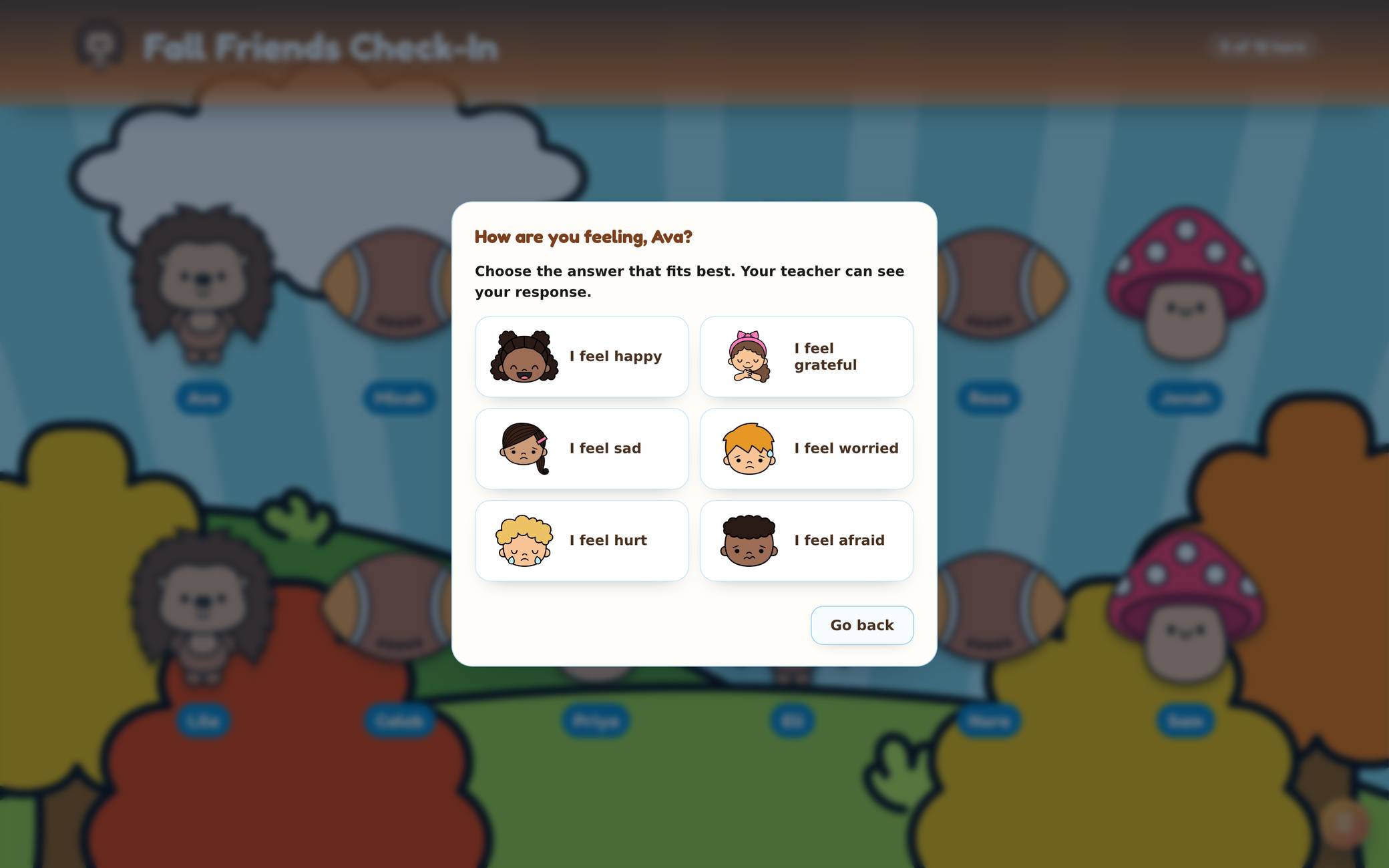
It goes on your report with a flag, so you know who to find before the day starts.
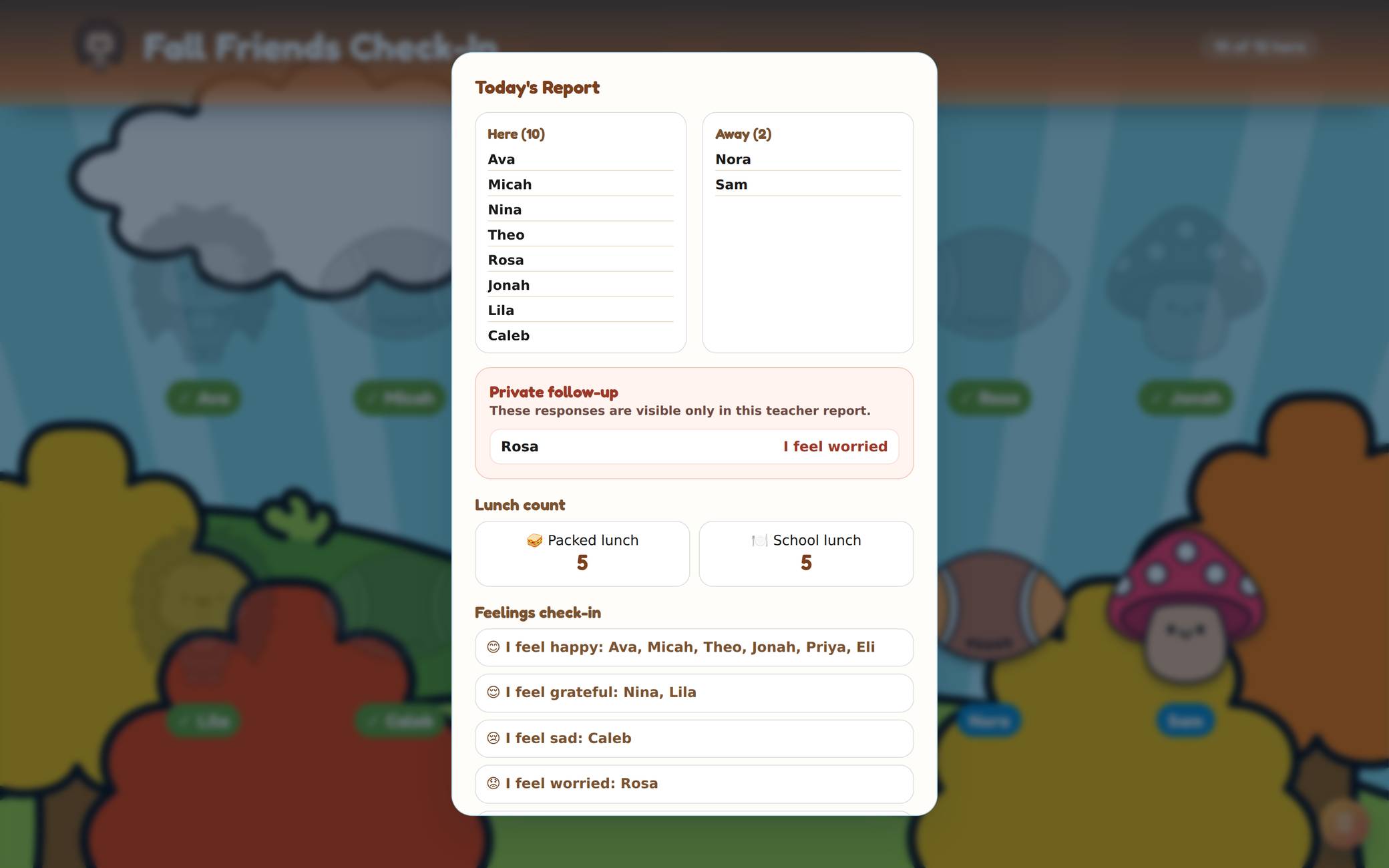
On screen, or downloaded as a PDF.
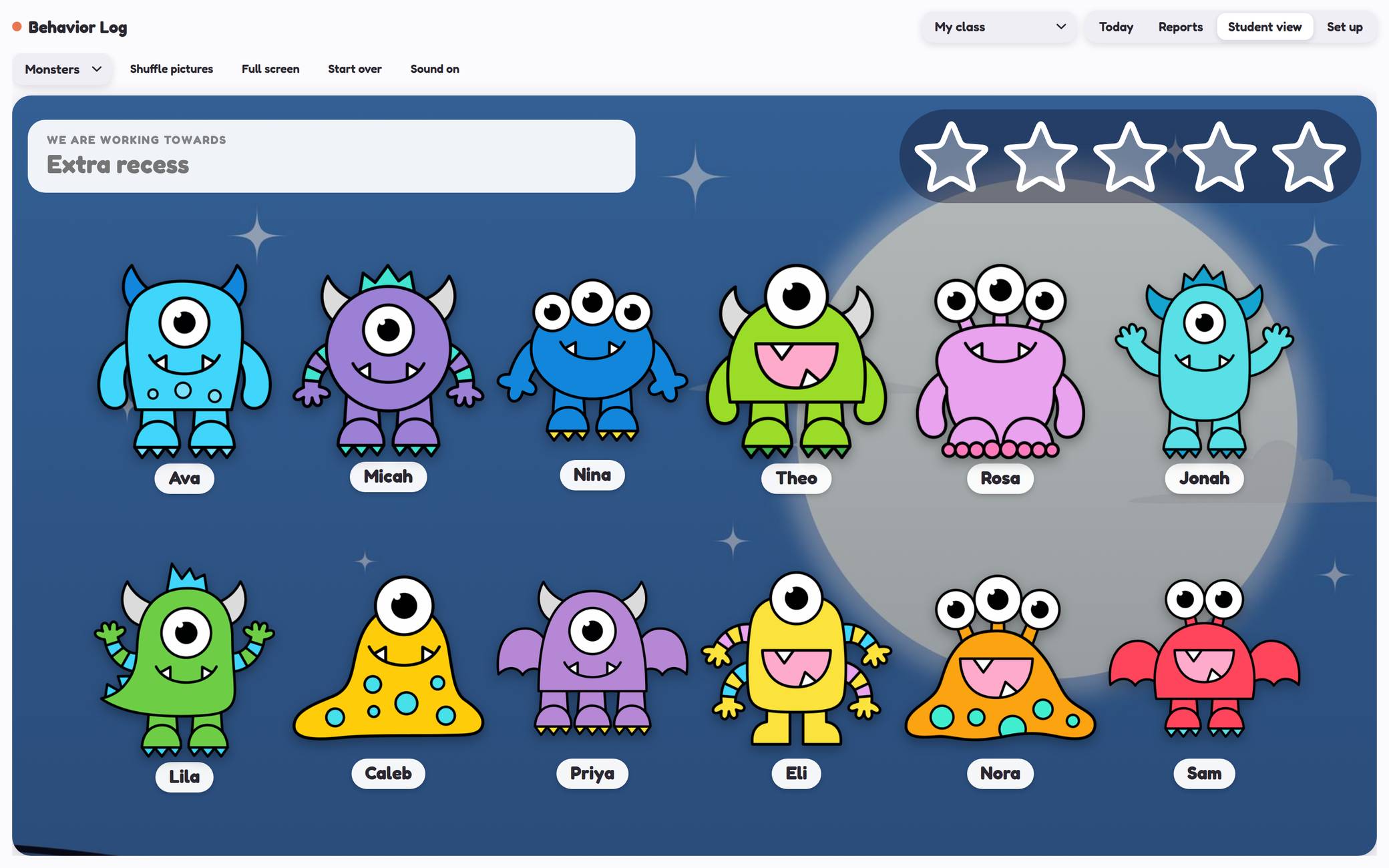
New in SeptemberBehavior Log
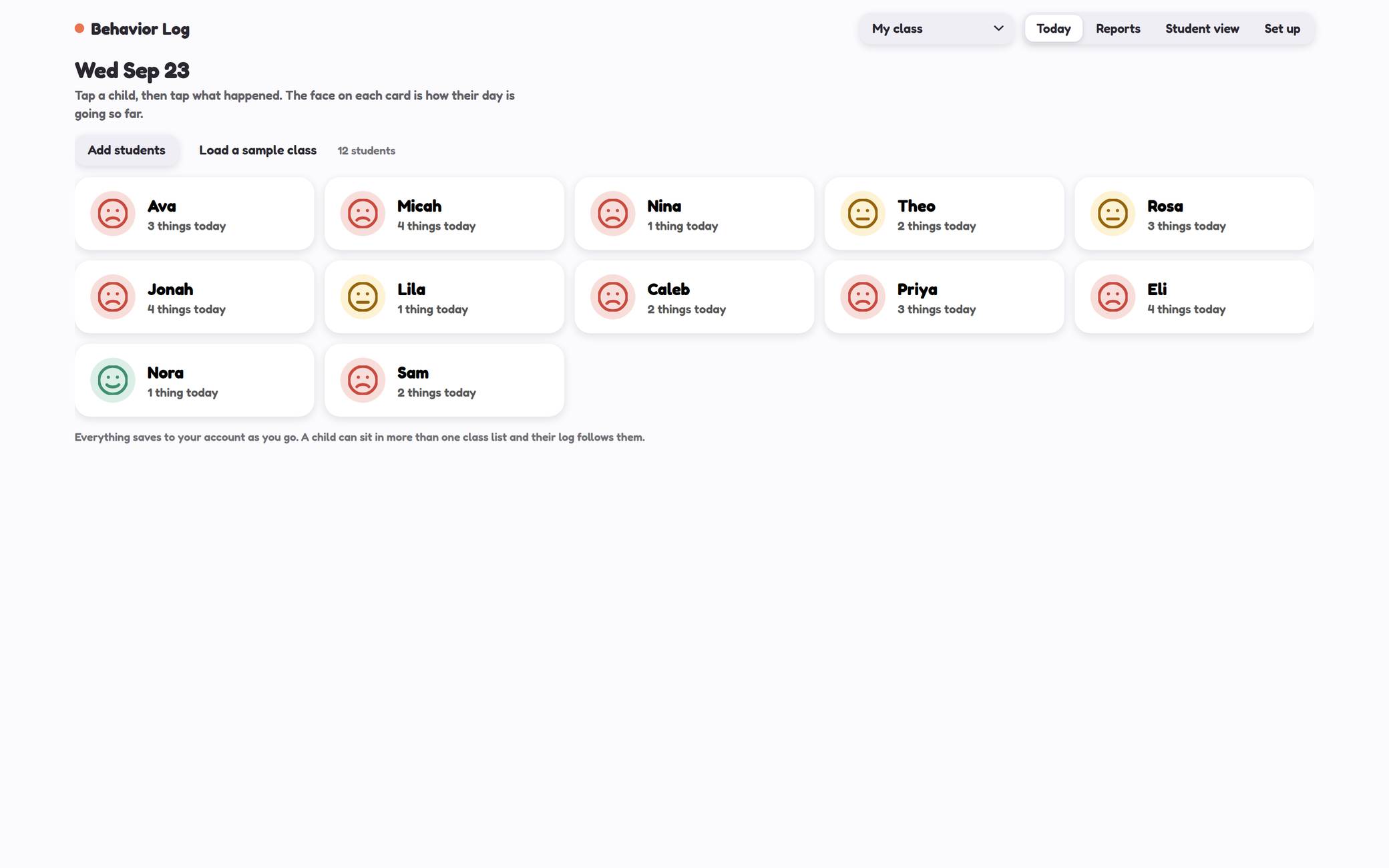
Three taps a child, and a reward board the class can see.
Tap a child, tap what happened, and it is logged with the time on it. Three kinds of thing: catch them at it, needed a reminder, and a family needs to know. Add your own to any of them.
At the end of the week there is a record instead of a memory. A daily sheet, a weekly sheet, a month at a glance, and a note home, with signature and date lines already on it.
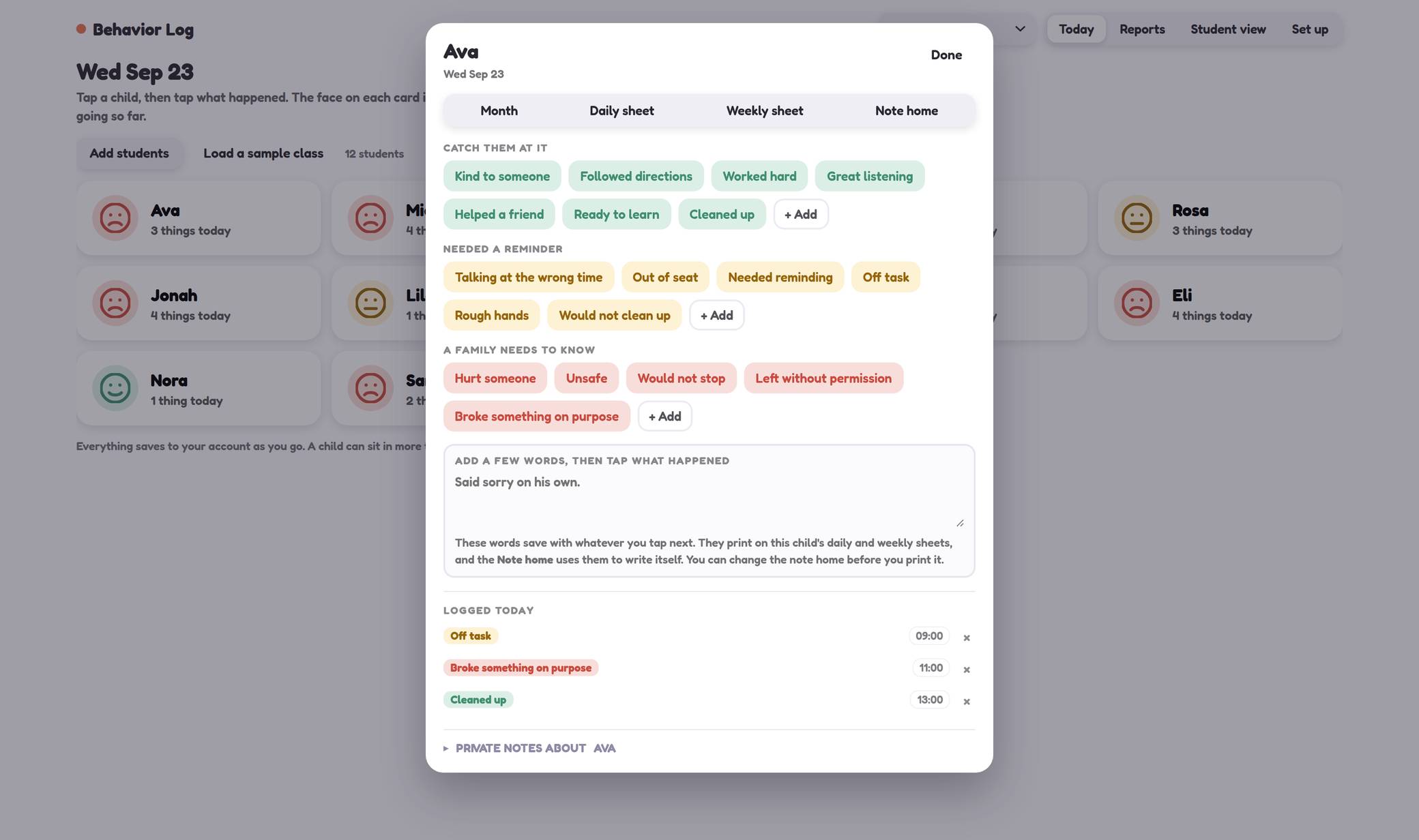
Today’s log sits underneath with the times, and you can take one back off.
Nothing is ever taken away, so no child moves down a chart in front of the room. It scales to your class, goes full screen, and clears itself overnight.
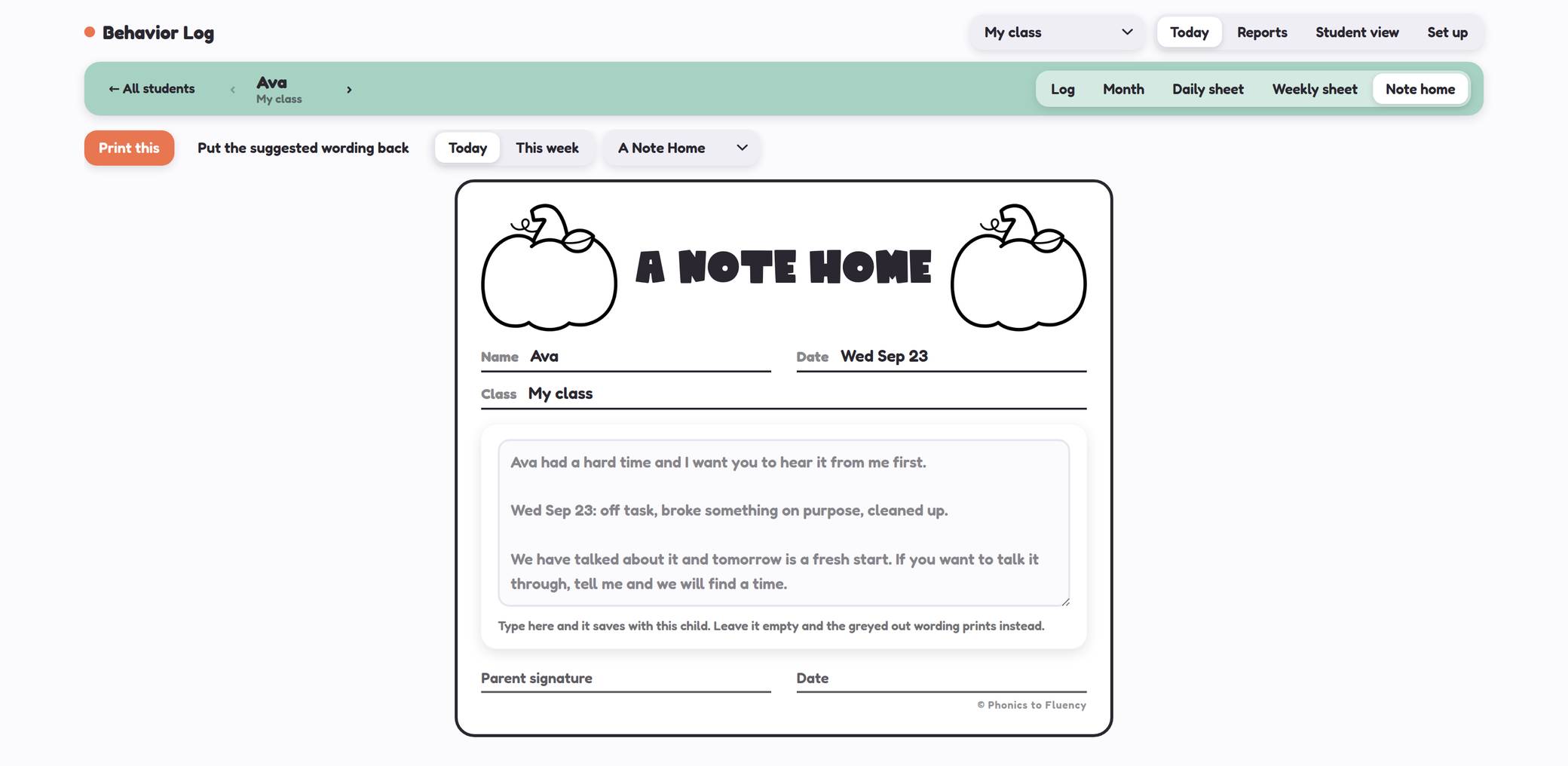
Nine kinds of note, from a Warm Fuzzy to a Behavior Note, with signature and date lines already on it.
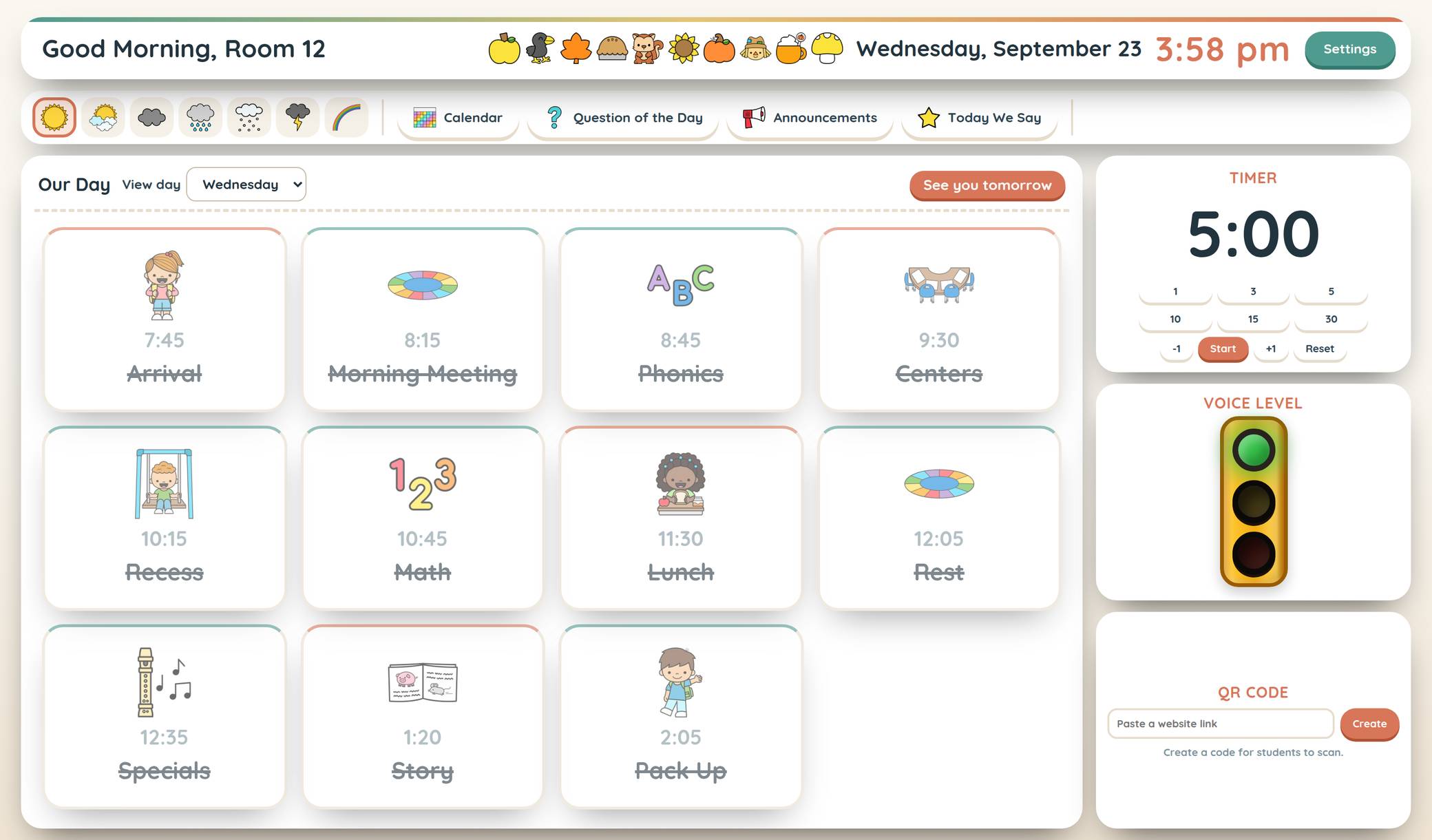
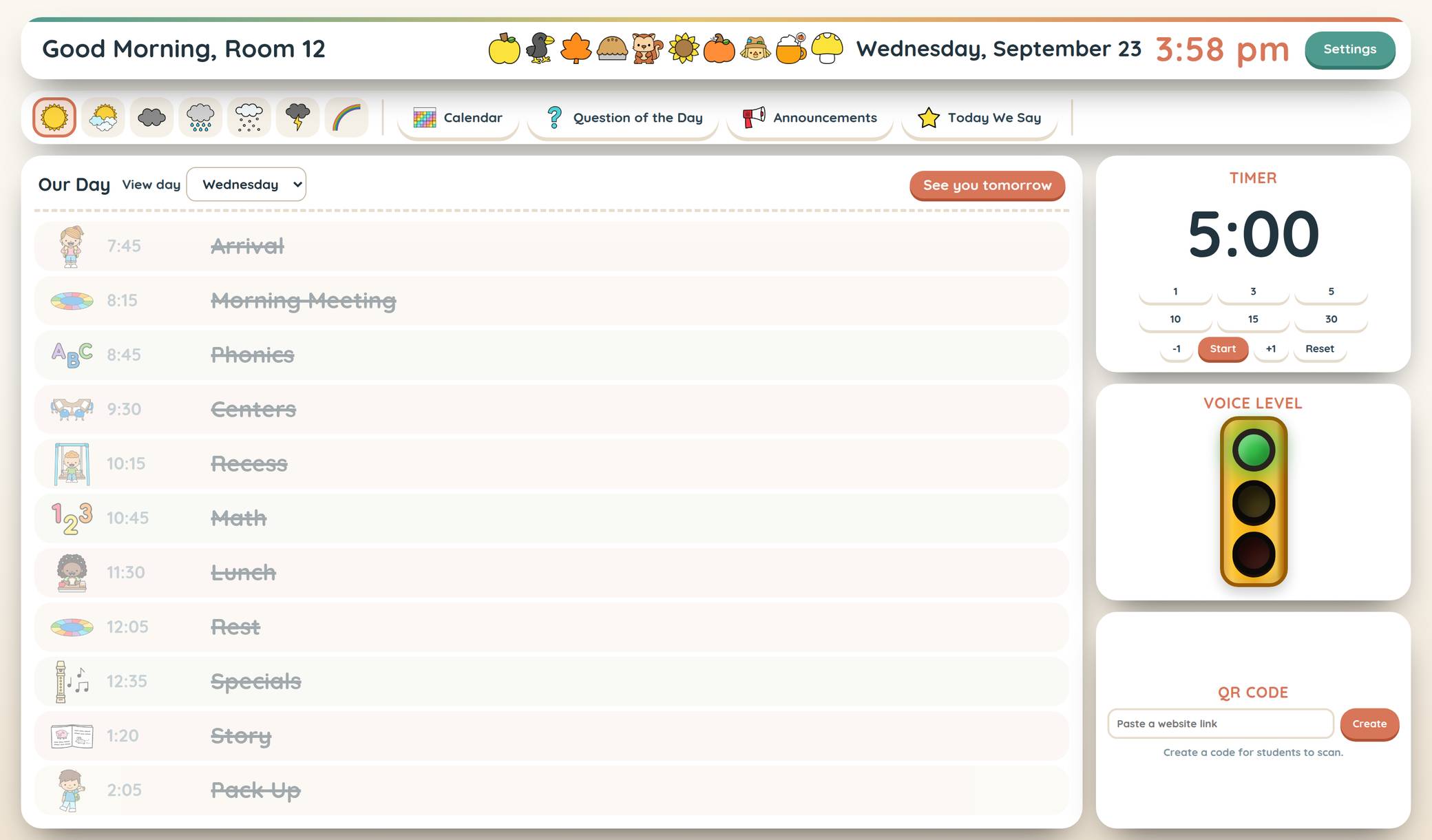
Start the dayDaily Agendas
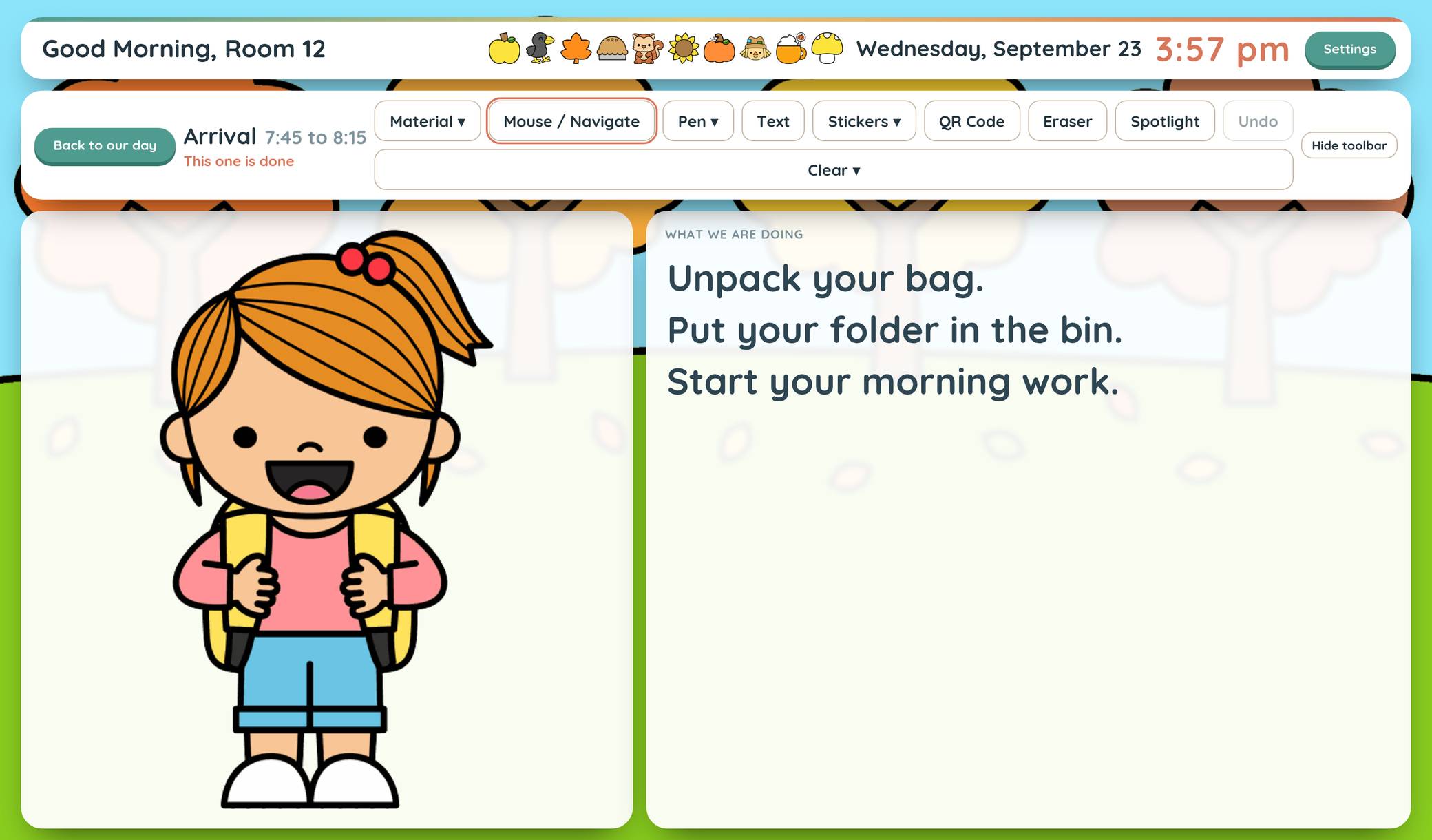
The whole day as picture cards, in a theme for every season.
Build the day once, walk through it together in the morning, and change the season whenever you feel like it. Write on it, drop in stickers, spotlight one part, show a QR code.
Pull your Google Slides straight in. Change a slide in Google and the board already knows. Or a PDF, a website, a YouTube video, or your own camera, on any part of the day. Days in school counts itself. Sub plans print clean, with no website header across the top.
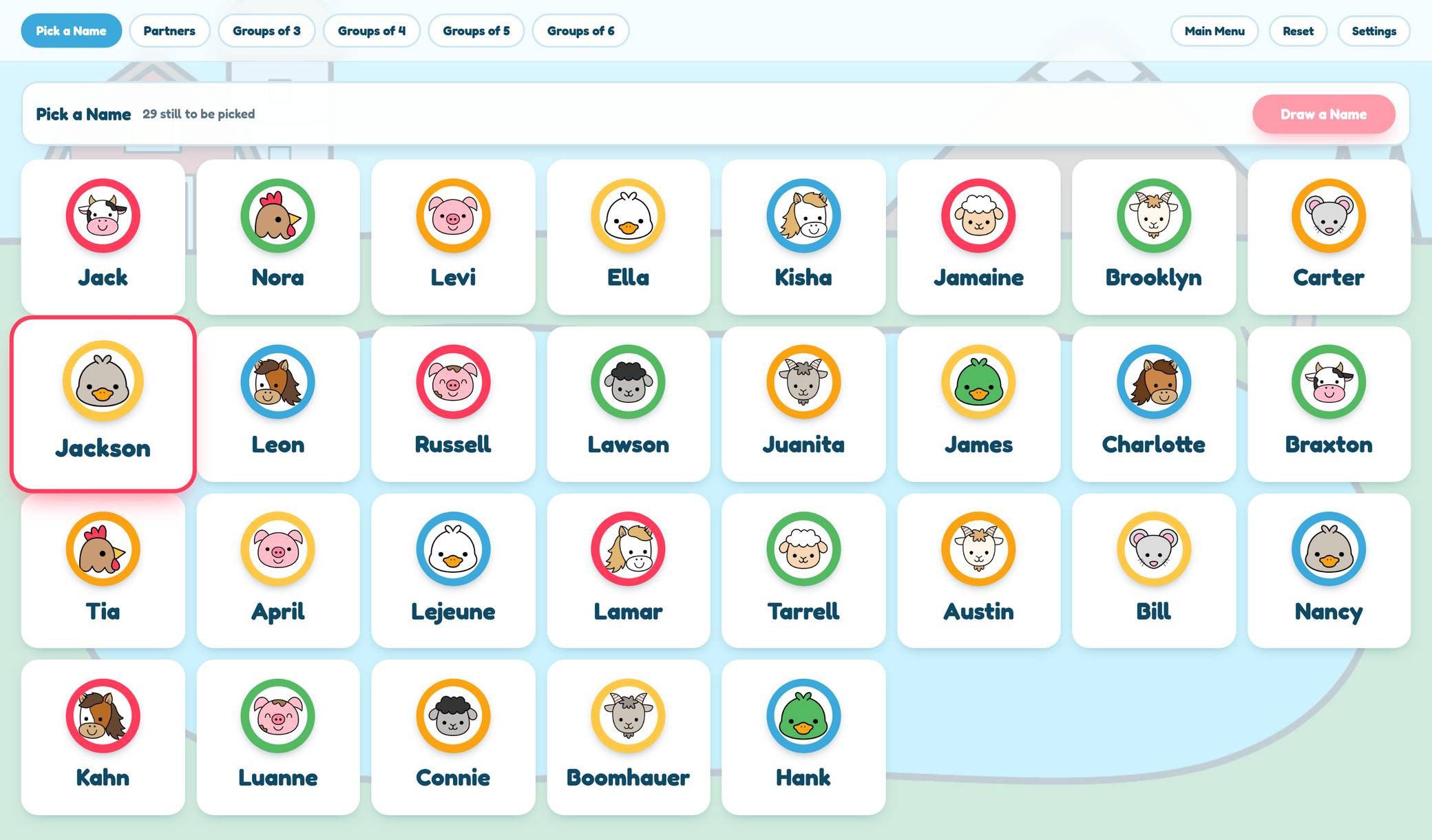
Pick and groupName Pickers, Groupers & Center Rotations
Fair turns, mixed groups, and rotations on a timer.
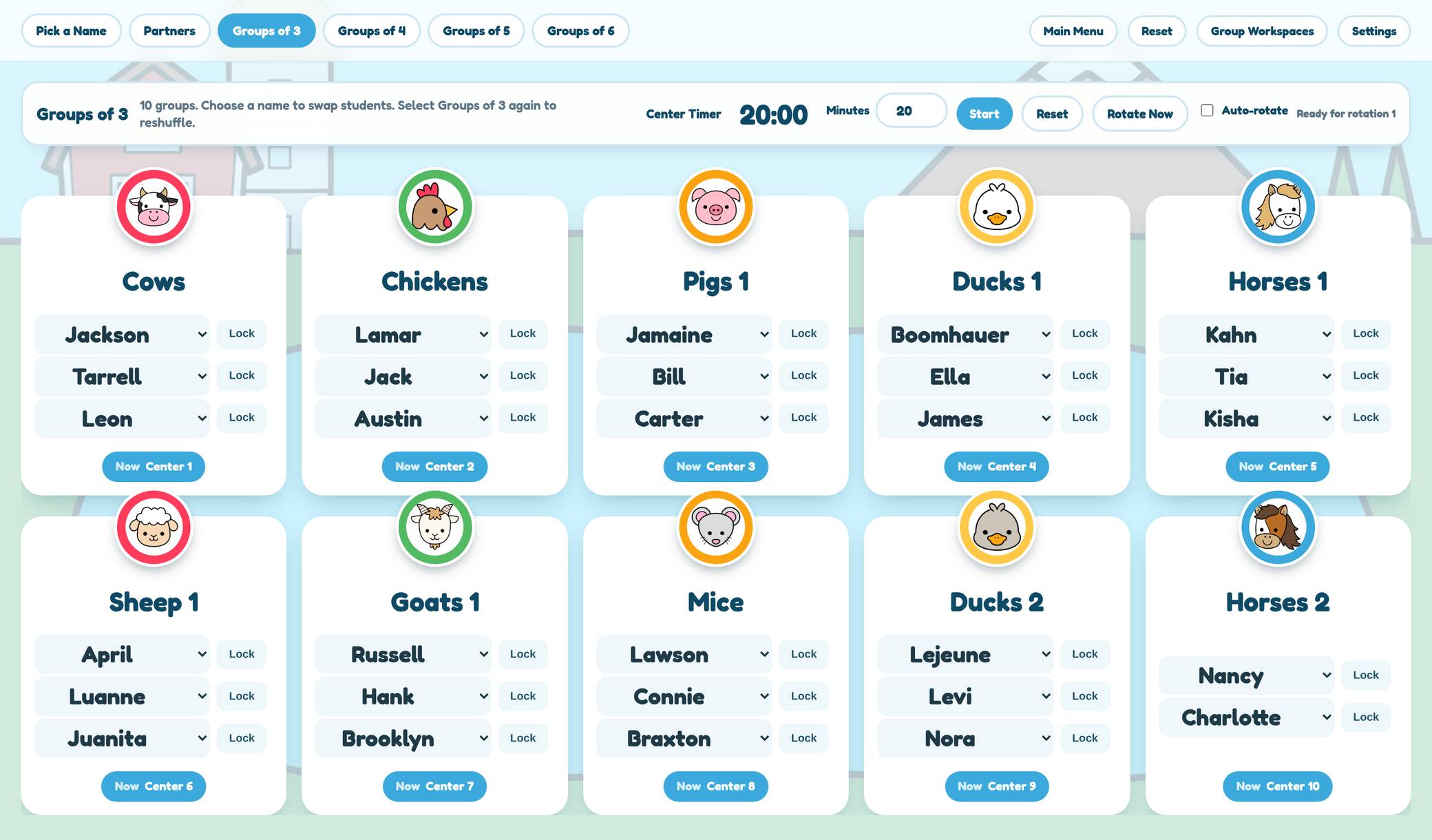
Everyone gets picked before anyone goes twice. Mark a child absent and she is not drawn. Split the class into partners or groups of any size, swap one child without redoing the whole thing.
Keep these two apart. Keep these two together. Group by a skill using data you put in, hand out roles, and run centers that rotate themselves on a timer, each group with its own directions and its own video or slides.
PlayGames
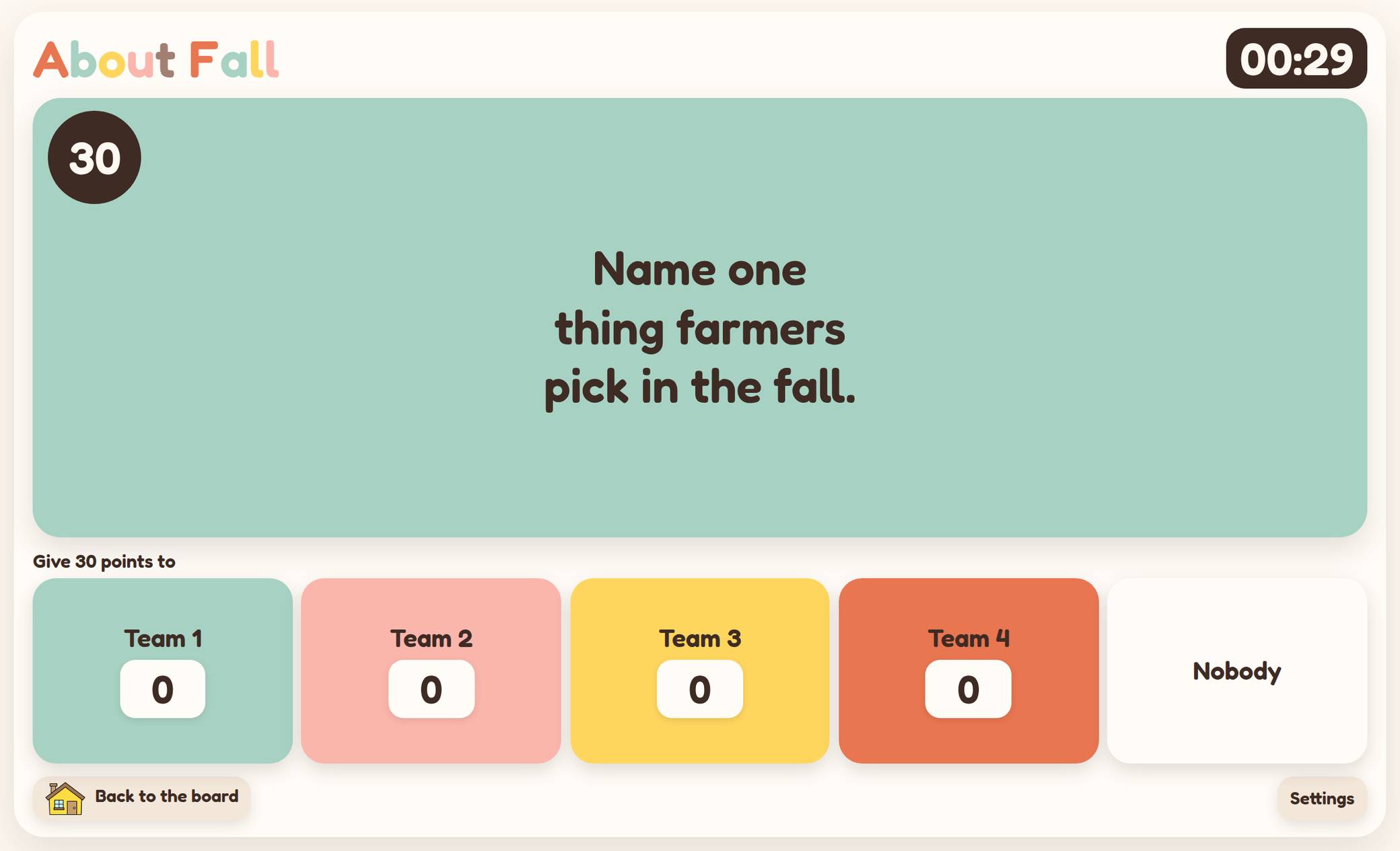
Whole class, two teams, and the questions already written.
Whole class games for the board, built for two teams and a carpet full of children. Tug of War alone carries 60 math skills, so you pick the exact one you are teaching this week instead of writing a deck.
Spill the Tea comes with 9 question packs already written, 225 questions, and every single one can be rewritten in your own words.
Morning meetingSEL Morning Meeting
One situation, three choices, and a conversation.
One situation, three choices, and a conversation. Written for the things that actually happen in a K-2 room in September, not for a poster on a wall. A deck is written for the month, and you can write your own.
Why it holds up in a real K-2 room.
Your class stays where you put it
Type your class into the agenda and every agenda theme already has it. Same for attendance, the name pickers and the printables. Switch from fall to winter and your children are already there.
Built for five and six year olds
Every screen assumes a young child is looking at it. Big type, big targets, and nothing on screen a child cannot read yet. Not a general classroom tool with a K-2 mode bolted on.
A theme for every season, and ones for the rest of the year
Fall, Halloween, Thanksgiving, winter, spring, and year round ones like the composition notebook for the months that are not a season. New seasonal themes land before each season, and every one of them is included in your membership.
Where these work right now
Your computer and your board
Everything. Projected from your laptop or opened in the board’s own browser. This is what they are built for.
An iPad
Most of them work on one, and a couple are better there. The skills screener is designed for an iPad on the child’s side of the table. Anything meant for the whole class to see is still happier on the board, but you will not be locked out of it on a pad.
Phones
Not yet, and I would rather say so. Phone sized versions are coming, they are just not what I would hand you today and call finished.
Founding Teacher rate
And it stays $15 for as long as you keep your membership.
- 30 days free. You add a card to start, and it is charged $15 when those days end unless you cancel first.
- Every seasonal theme and every year round theme, including the new ones that land before each season.
- Every tool, and everything added while you are a member.
- No student accounts and nothing to install.
- Cancel any time in a couple of clicks, and you keep your access through the time you have paid for.
- You email me, not a help desk.
Nothing is charged today, and nothing is charged for 30 days after you join.
$15 a year until 31 October. After that it is $25 a year.
Purchasing for Your School or District?
Licenses for 10 or 50 teachers, invoiced with Net 30 terms. Purchase orders accepted.
Some of these are already free on my site
The name picker and a couple of the check-ins are free, and they are staying free. Go and use them first. If the free ones already save you five minutes a morning, that is the idea. The versions in here do more, and the rest of the tools sit alongside them.
Schools and districts
How a school license works
Equip your entire teaching team with Classroom Tools. One code for your school, and seats you can move when staffing changes.
Invoiced, with Net 30
A proper invoice your finance office can process. Ask for our W-9 on the form and it comes attached to your quote.
Check or bank transfer
Pay however your district pays. A purchase order is welcome but never required, and your PO number goes on the invoice.
One code, and seats you can move
Teachers enter it once and keep their seat for the whole license. When staffing changes, release a seat and give it to whoever takes over.
No account to create. No demo to sit through. We reply within one business day.
Questions teachers keep asking
What does it cost?
Founding teachers pay $15 a year and keep that rate for as long as they stay, with 30 days free before anything is charged. The founding rate is open until 31 October. After that it is $25 a year.
Do my students need accounts?
No, and they never will. Children only tap on the board, or type a short code on the screener’s iPad. The only names in the system are the ones you type into your own class list, and nothing else about them is stored.
Do I have to retype my class list in every tool?
Right now, yes, once per tool. Type your class into the agenda and every agenda theme has it. Type it into attendance and every check-in theme has it. But the agenda does not yet hand your list over to attendance.
One shared list across every tool is the next thing I am building, and it is not there yet. I would rather tell you here than have you find out later.
Will it work on my classroom board?
That is the whole point of these, so yes. Boards run their own browsers and each brand does it a little differently, which is why a group of teachers has been testing on real boards since the start of September. If yours ever misbehaves, tell me the make and model and I will chase it.
Can I use it on my phone or iPad?
Attendance Check-Ins works on an iPad, and so does the K-1 Skills Screener, including printing a child’s report. Everything else, including the printables, is built for a wide screen right now. Phone and tablet versions are coming, they are just not what I would hand you today and call finished.
Do I get all the themes, or do I pay for the seasonal ones?
You get all of them. Fall, Halloween, Thanksgiving, winter, spring, and the year round ones like the composition notebook for the months that are not really a season. New seasonal themes land before each season and they are included too, at the price you started at.
Switching is a dropdown. Your class list and your settings stay exactly where they are, so moving from fall to winter takes about two seconds and you are not rebuilding anything.
What happens to my class lists if I cancel?
You keep your access through the time you have already paid for. After that the tools lock, but nothing you typed is deleted, so if you come back it is all still there.
Do I need anything installed?
No. It opens in the browser you already use. Nothing to download, nothing for your district to approve, and the tools carry their own fonts and pictures so a school filter cannot break them.
Start free
Nothing is charged today. If it turns out not to be for you, cancel in two clicks and you have lost nothing.
$15 a year, held at $15 for as long as you stay, and 30 days free before anything is charged.
Kisha, Phonics to Fluency.
New this week: the Classroom Board, Canva slides, and boards you can reorder.
Clip art by
Miau Clipart
and
Bunny On A Cloud.
Terms of Use ·
Privacy Notice ·
Email me
© 2026 Phonics to Fluency. All rights reserved.