Love the blending board or the attendance check-in?
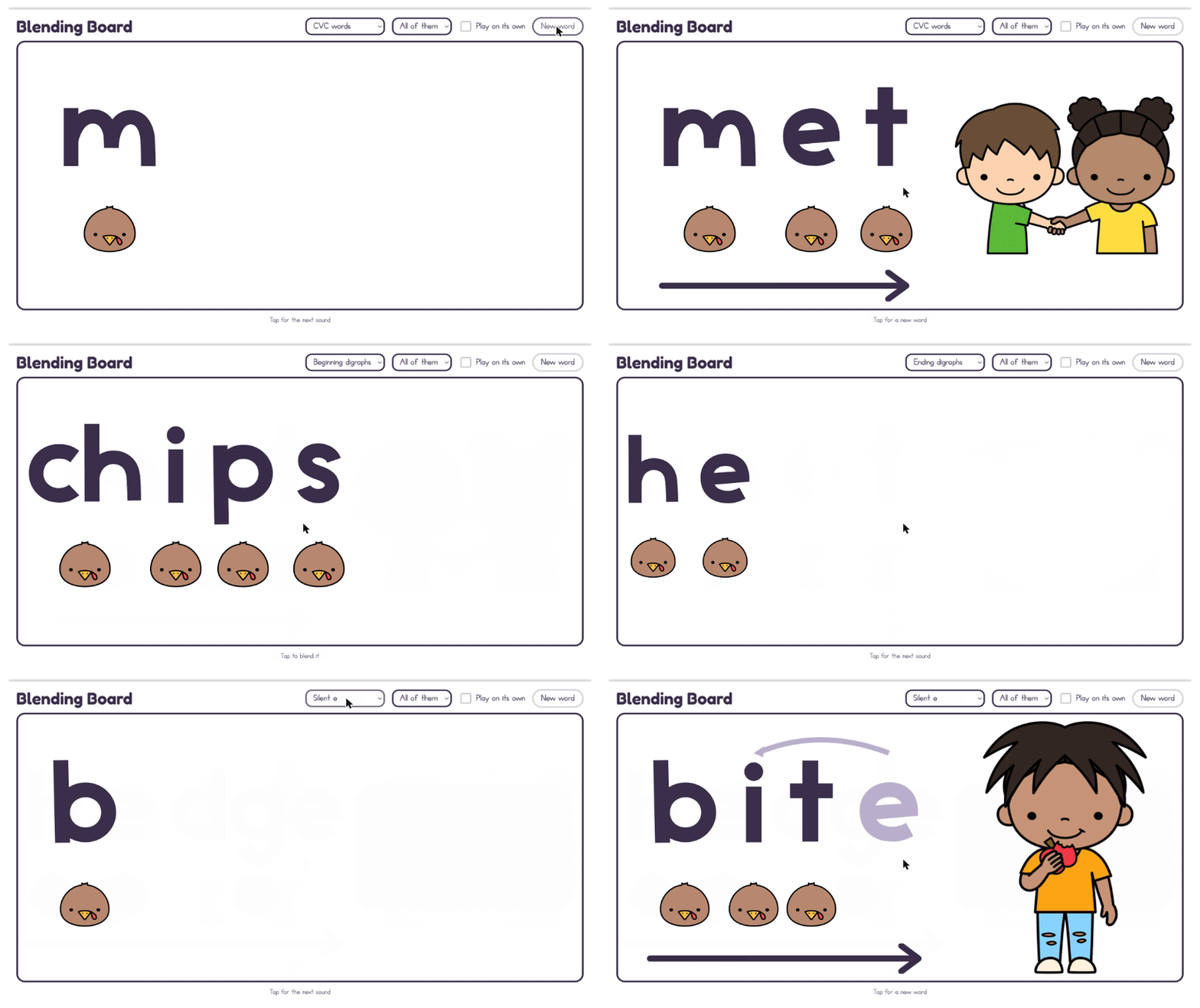
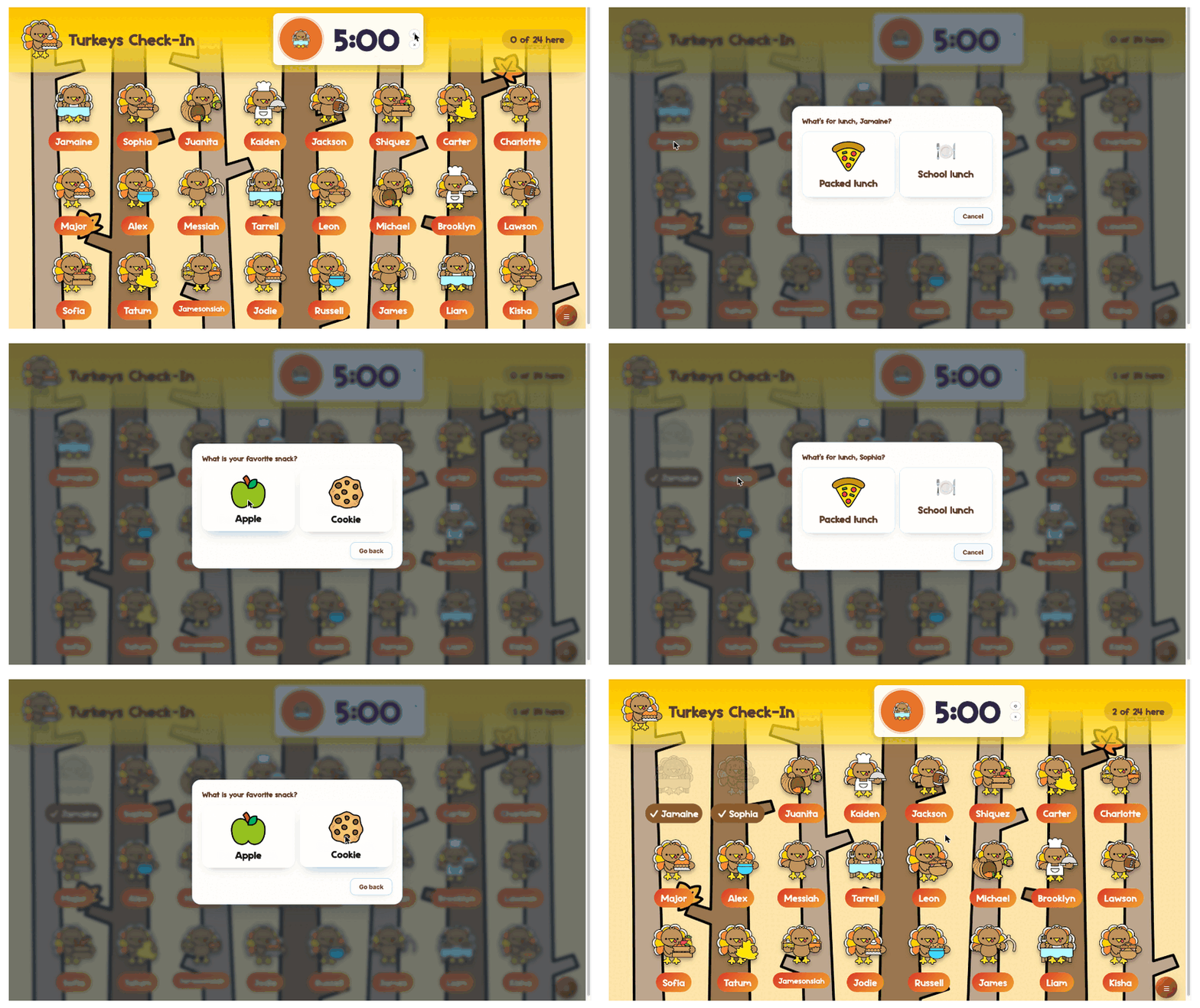
The blending board is a screen inside the Classroom Board. The check-in is a tool of its own, with a new theme for every season. Both are part of the 13 tools included in the Phonics to Fluency Classroom Tools membership.
For K-2 teachers
Classroom tools you’ll actually use throughout your day
Attendance, morning meeting, phonics practice, centers, games, assessments, and more, all in one membership!
If you love a cute classroom resource but also need it to be easy to use, you’re in the right place. Classroom Tools brings together tools you can open on your classroom screen and make part of your everyday routines.
Set them up for your class, choose a theme you love, and come back to them whenever you need them.
A card is required to start. Nothing is charged today. After your trial, your membership renews at $29 a year unless you cancel before the trial ends.
- No student accounts needed
- Opens in your browser
- All included tools and themes
- Cancel before your trial ends to avoid being charged
Take a look at what’s included!
From getting everyone checked in to organizing groups and practicing the skills you’re teaching, there’s a lot you can do with this membership.
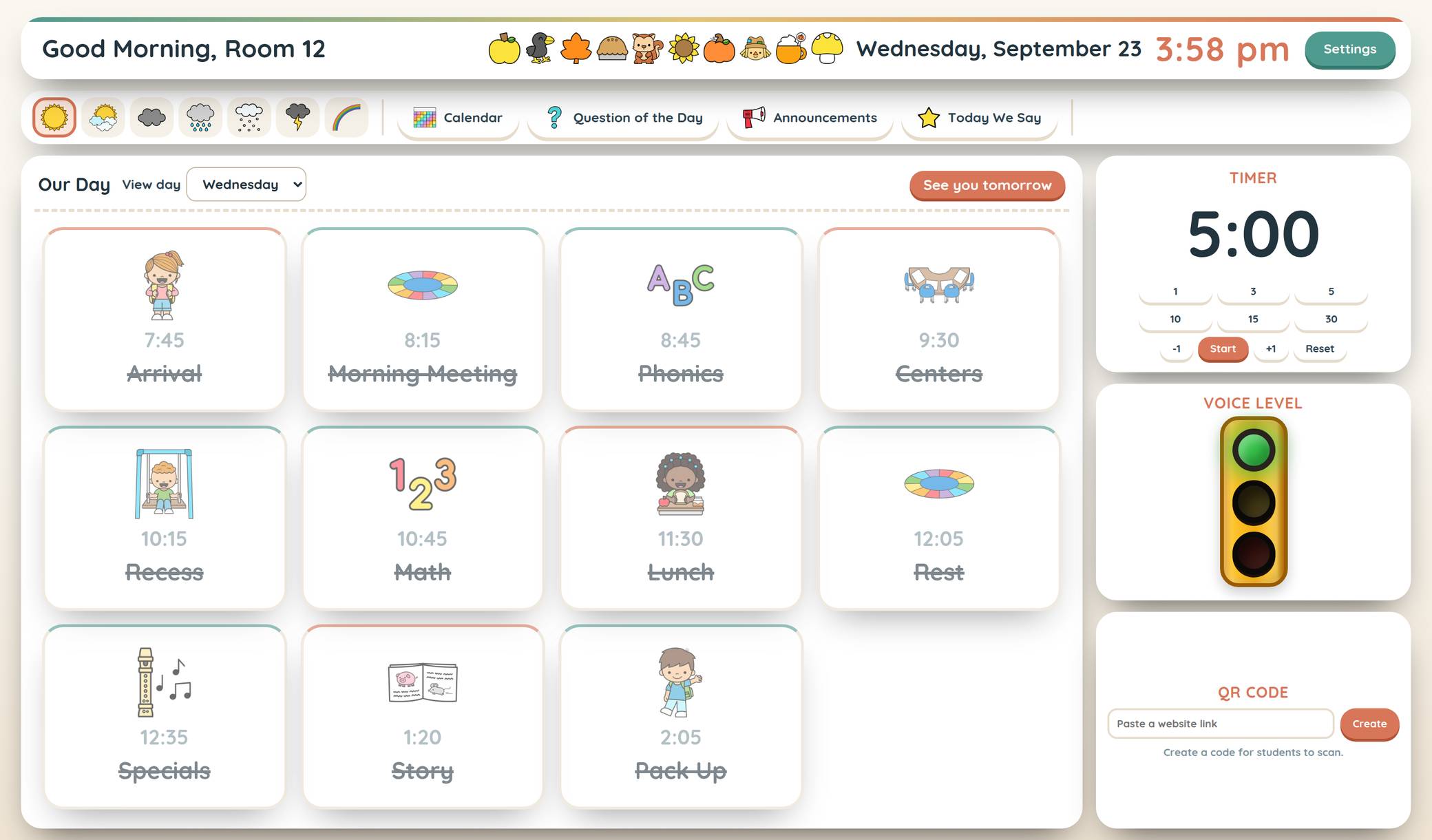
 Classroom BoardYour slides and classroom tools together
 K-1 Skills ScreenerAssess skills and keep student results organized
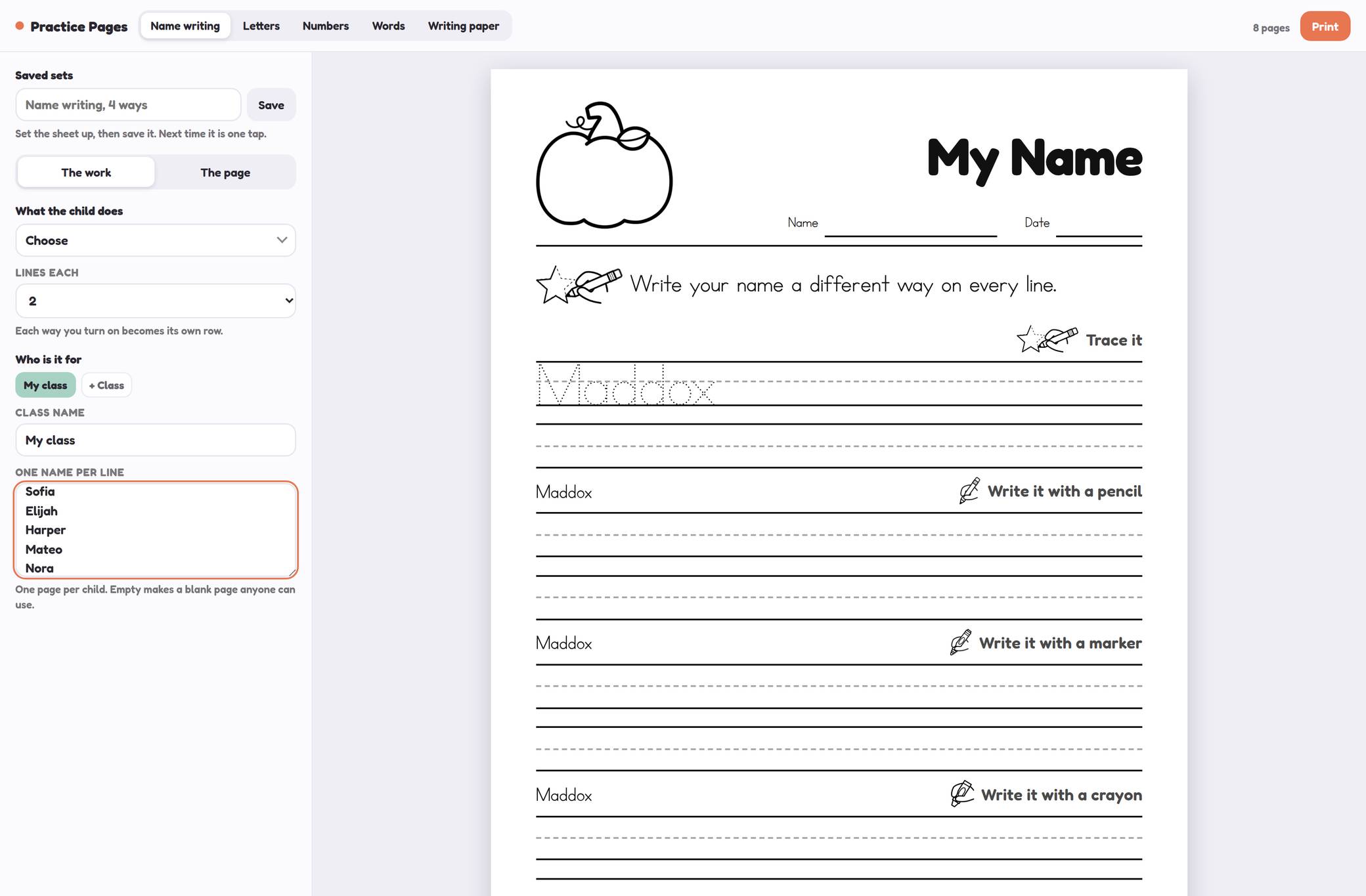 Practice PagesPersonalized pages for your classAttendance Check-InsAttendance, lunch choices, and feelingsBehavior LogKeep records and celebrate your classDaily AgendasA visual plan for your school dayName PickerGive everyone a turn
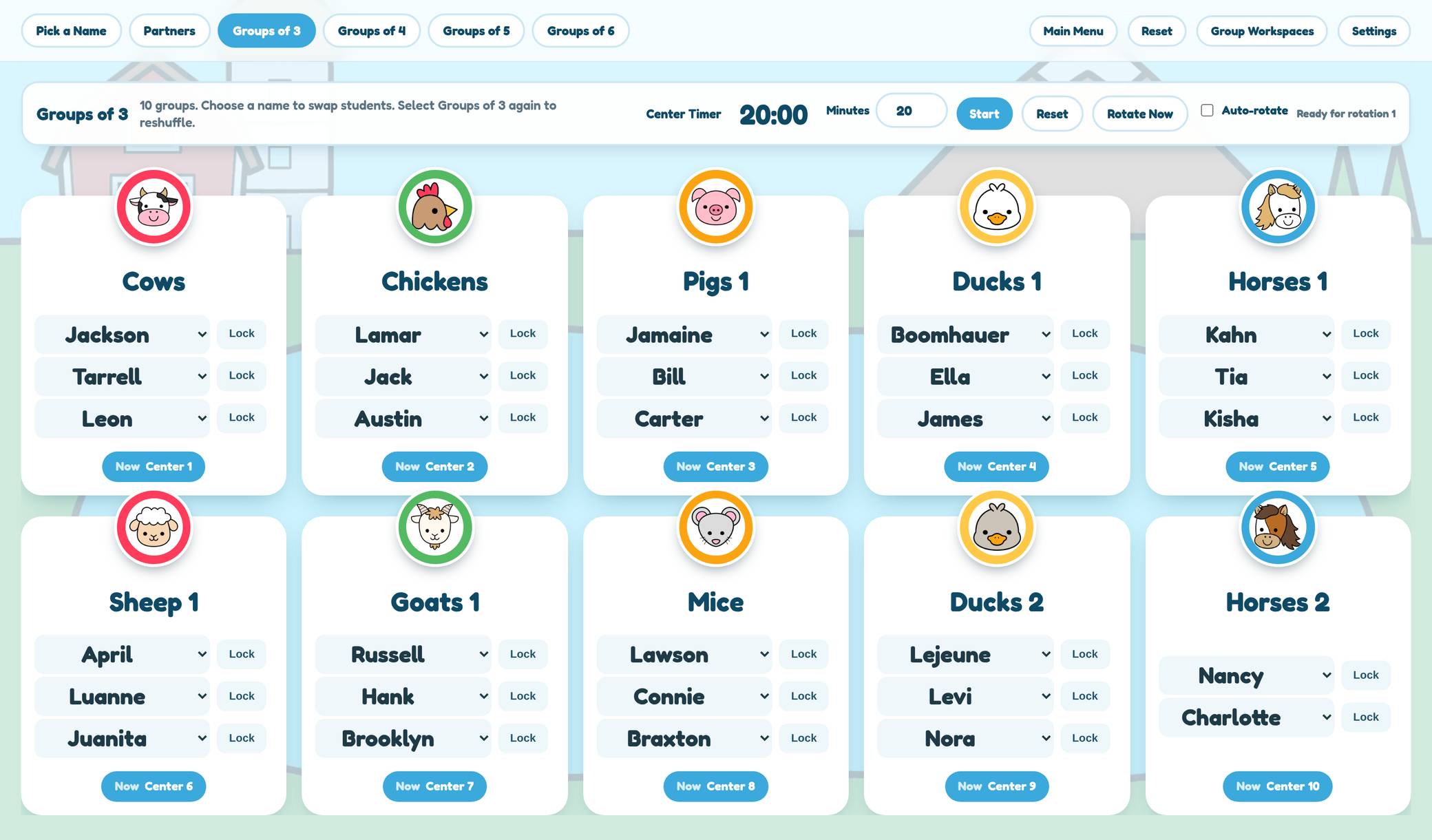 Groupers & Center RotationsCreate groups and manage rotations
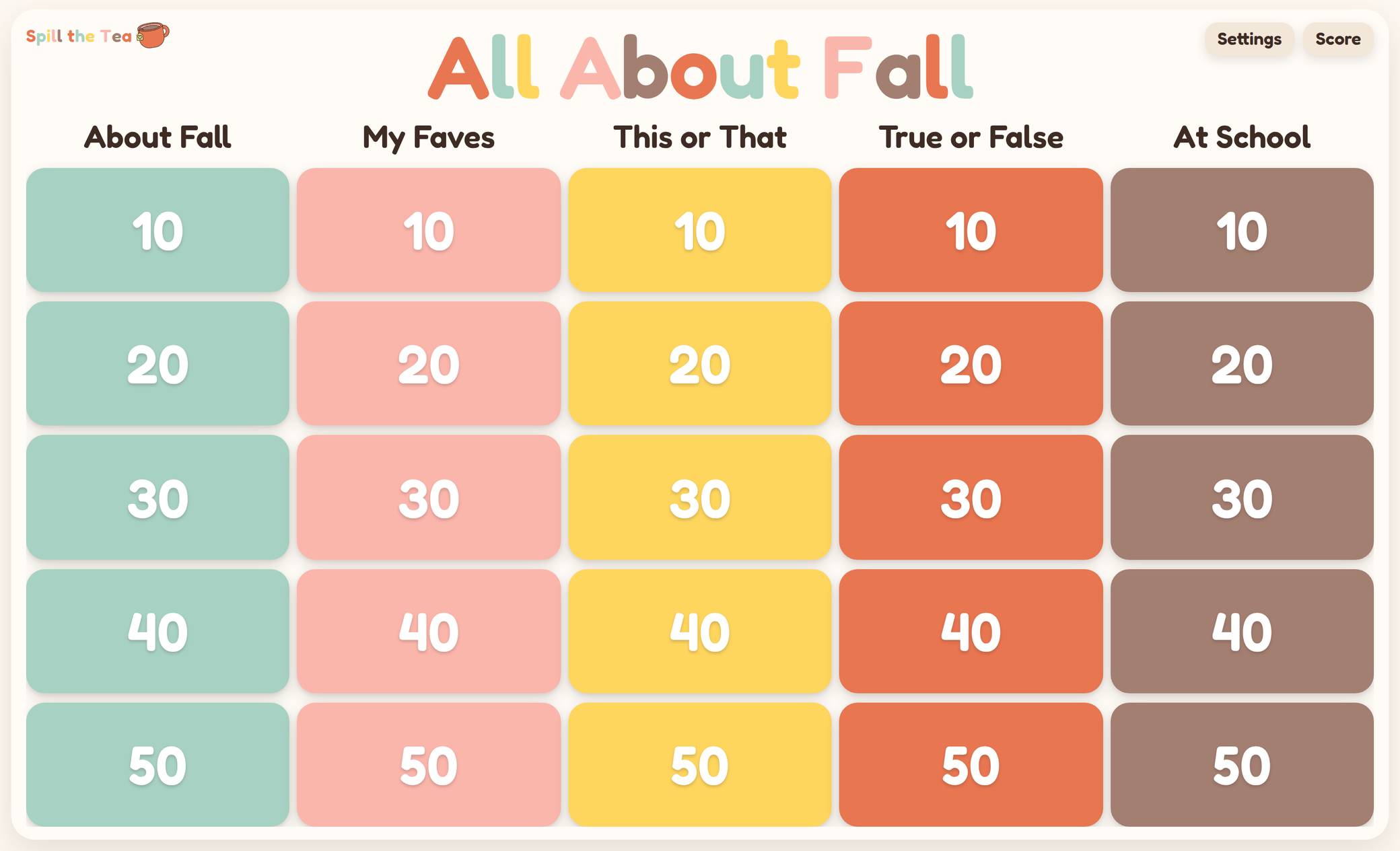 Spill the TeaEditable questions and team scoring
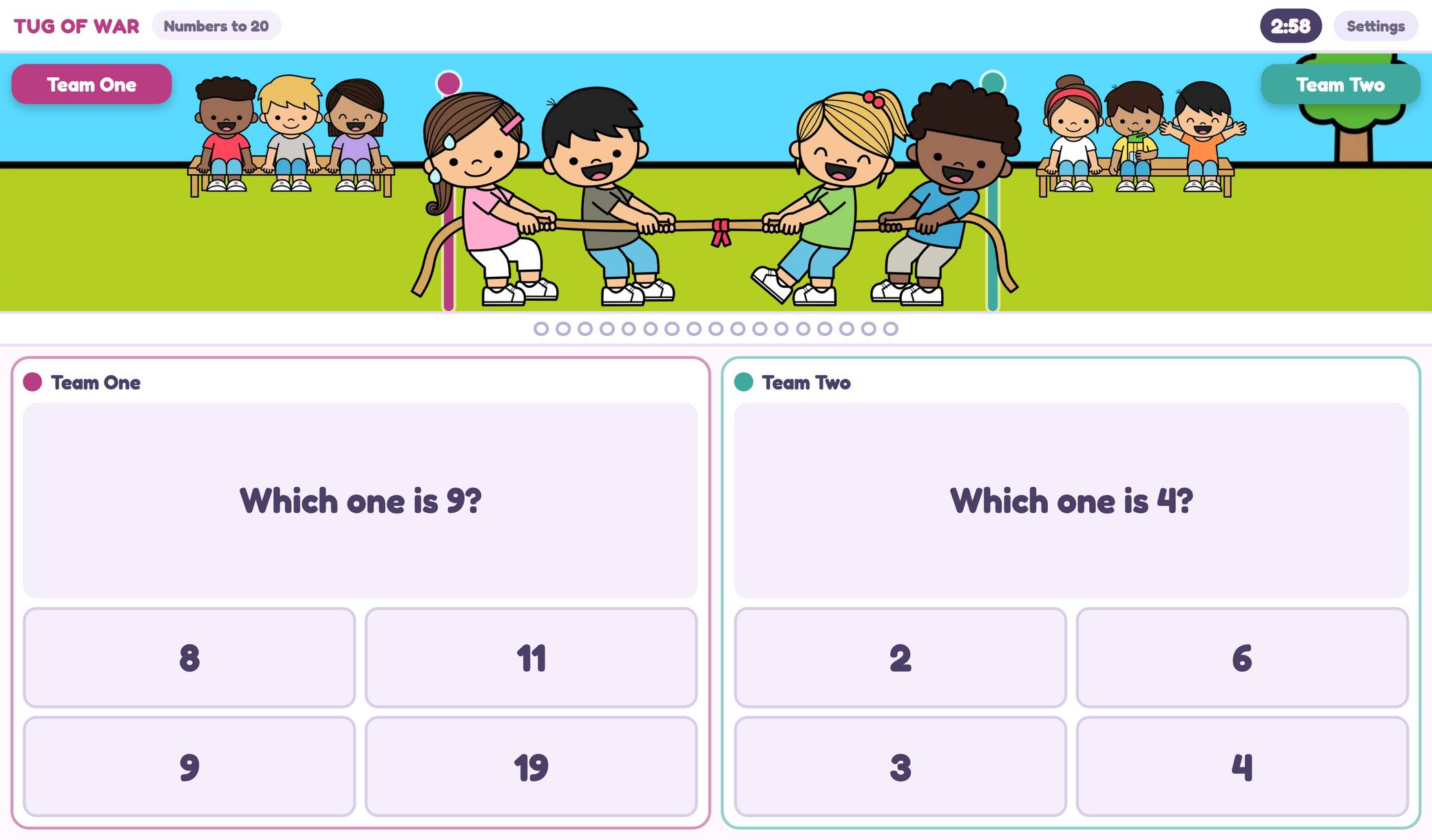 Tug of WarPractice math with a little friendly competition
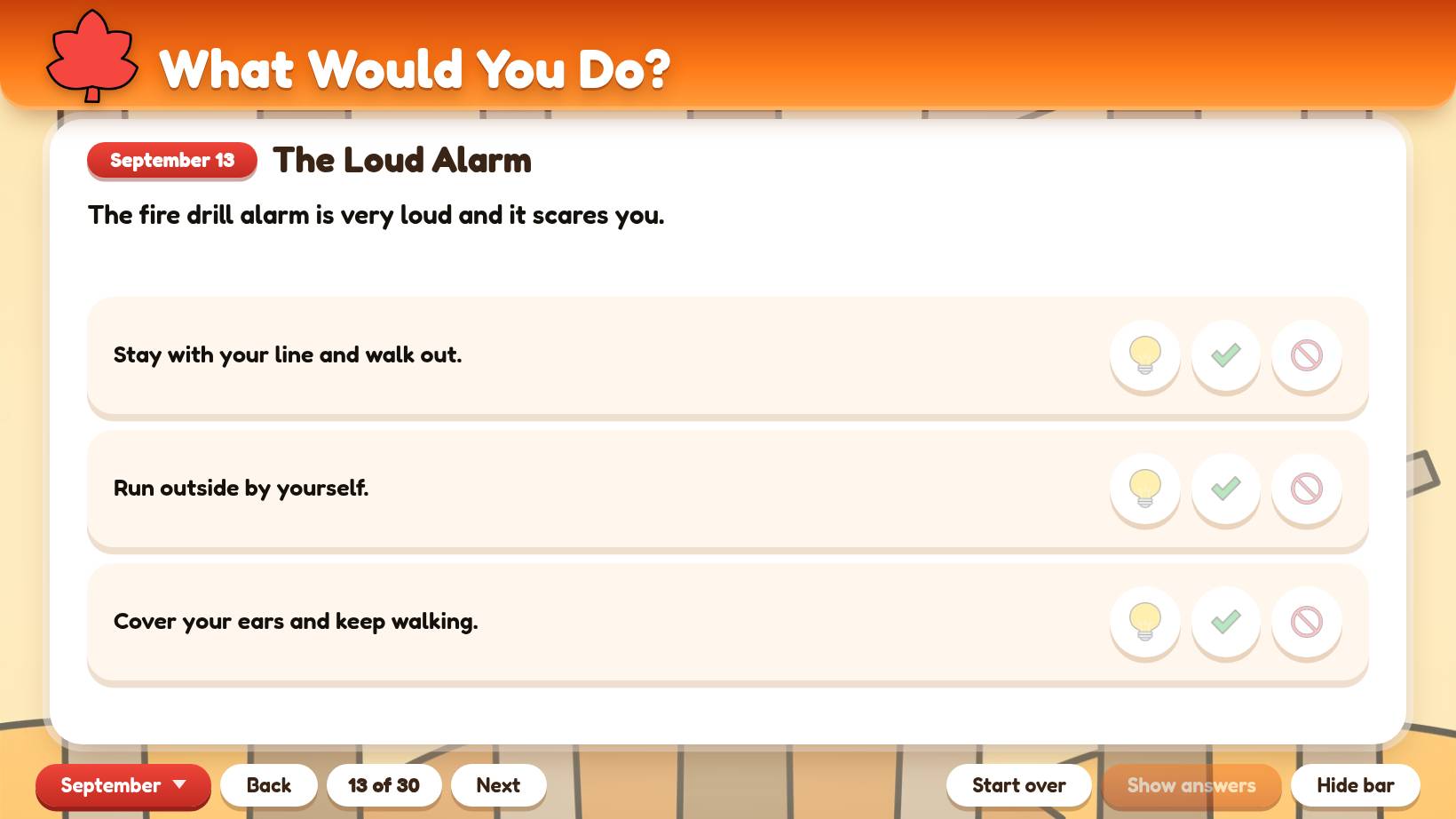 SEL Morning MeetingGet your class talking through everyday situations
★★★★★“I am OBSESSED with the attendance check in… and so are my students! I will NEVER have to remind them to make their lunch choice again because they are so excited to come in each morning and see their character! I also LOVE that it incorporates attendance, lunch count, and a feelings check in all in one. All the morning info I need in one spot. So simple and cute and teacher and students friendly! Thank you!”
★★★★★“I love the design of it! I’ve started playing with the group picker and it was really helpful to help put in which kids should not be together and to help make mixed groups! It worked great!”
★★★★★“I love how this is set up! It was easy to set up and open on my Smartboard. So many options! I love that they can tap their name for attendance, as some of my students are still working on name recognition.”
Meet Classroom Board!
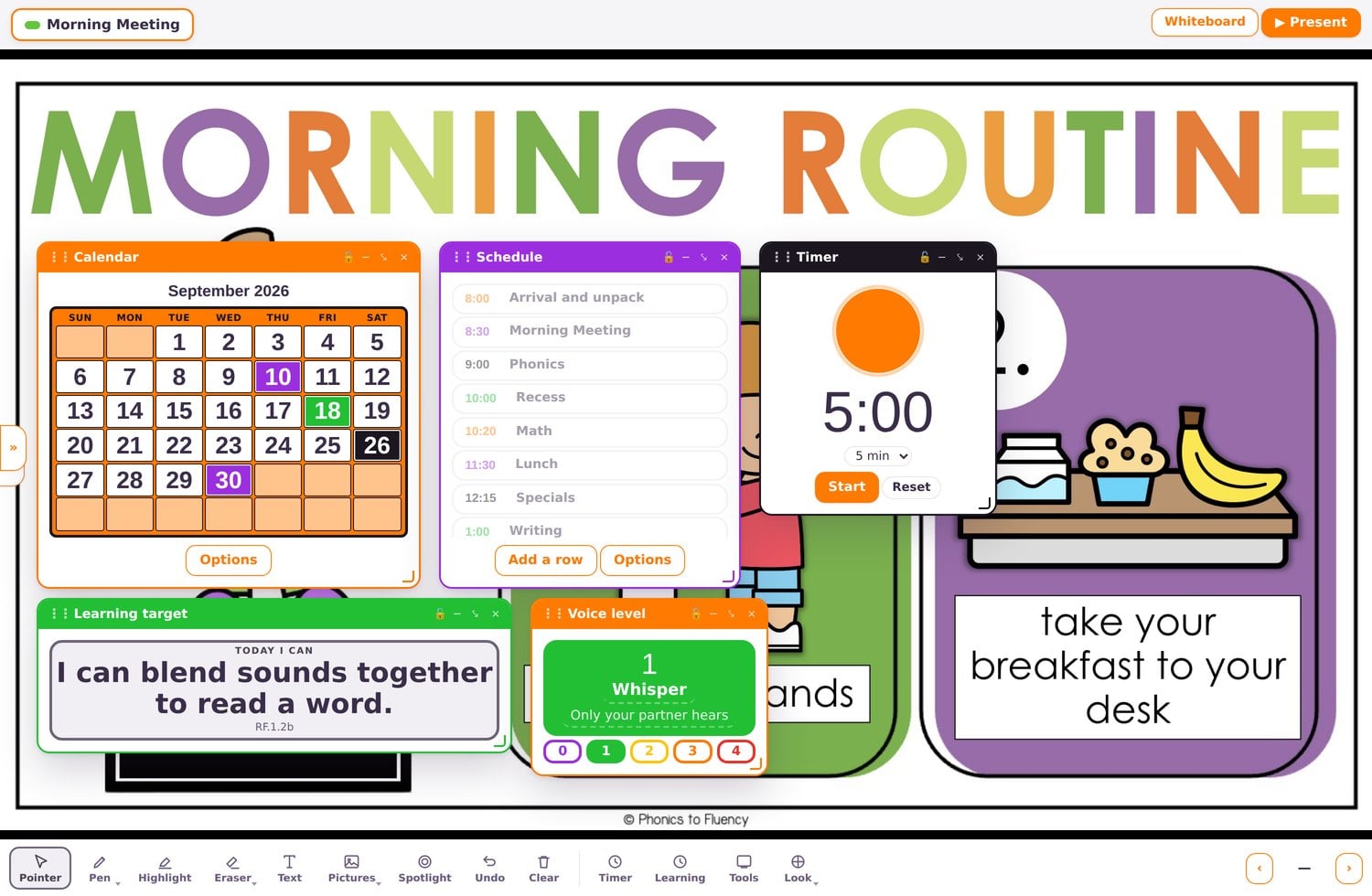
Bring your slides and the classroom tools you reach for throughout the day together on one screen.
Add a presentation from Canva, Google Slides, or PowerPoint, or upload a PDF. Then use the board’s tools alongside your lesson: set a timer, pick a name, display a learning target, practice with a number line, or build a class graph.
You can create separate boards for different parts of your day, too. Set up morning meeting, math, or another routine, then switch between them when you’re ready.
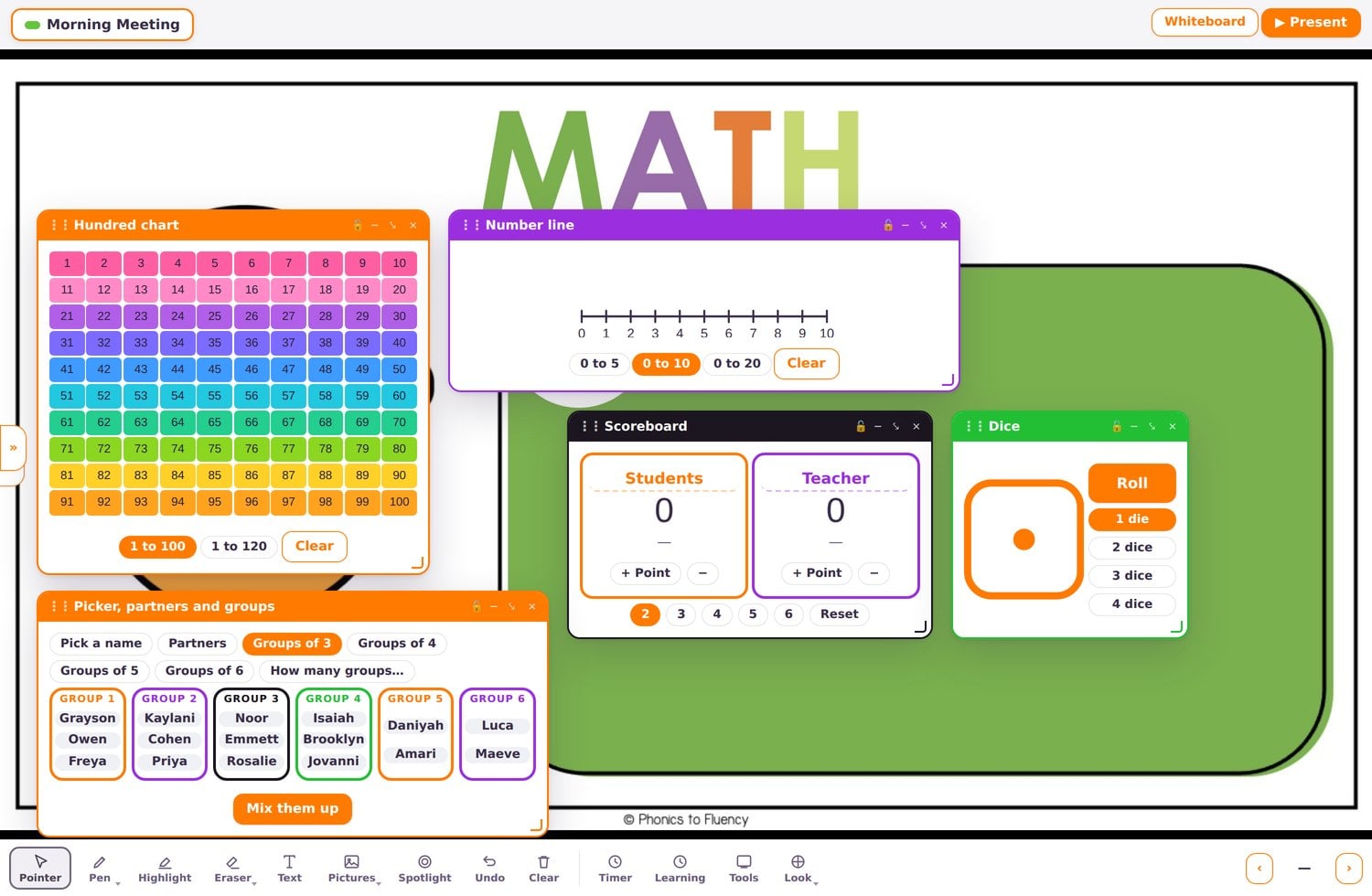
So many ways to use it
- Show your schedule and learning target
- Use timers for activities and transitions
- Practice with the calendar, clock, and days-in-school counter
- Pick names and make groups
- Display behavior goals and class rewards
- Use picture directions for Must Do/May Do and First/Then
- Explore numbers with a hundred chart, number line, and dice
- Build graphs with your class
- Practice sounds and words with the Blending Board
- Display student work using your camera
26 widgets so far
It’s included in your membership, along with the other tools below!
Open any one to see inside.
Open the sections below to see the tools and how they work.
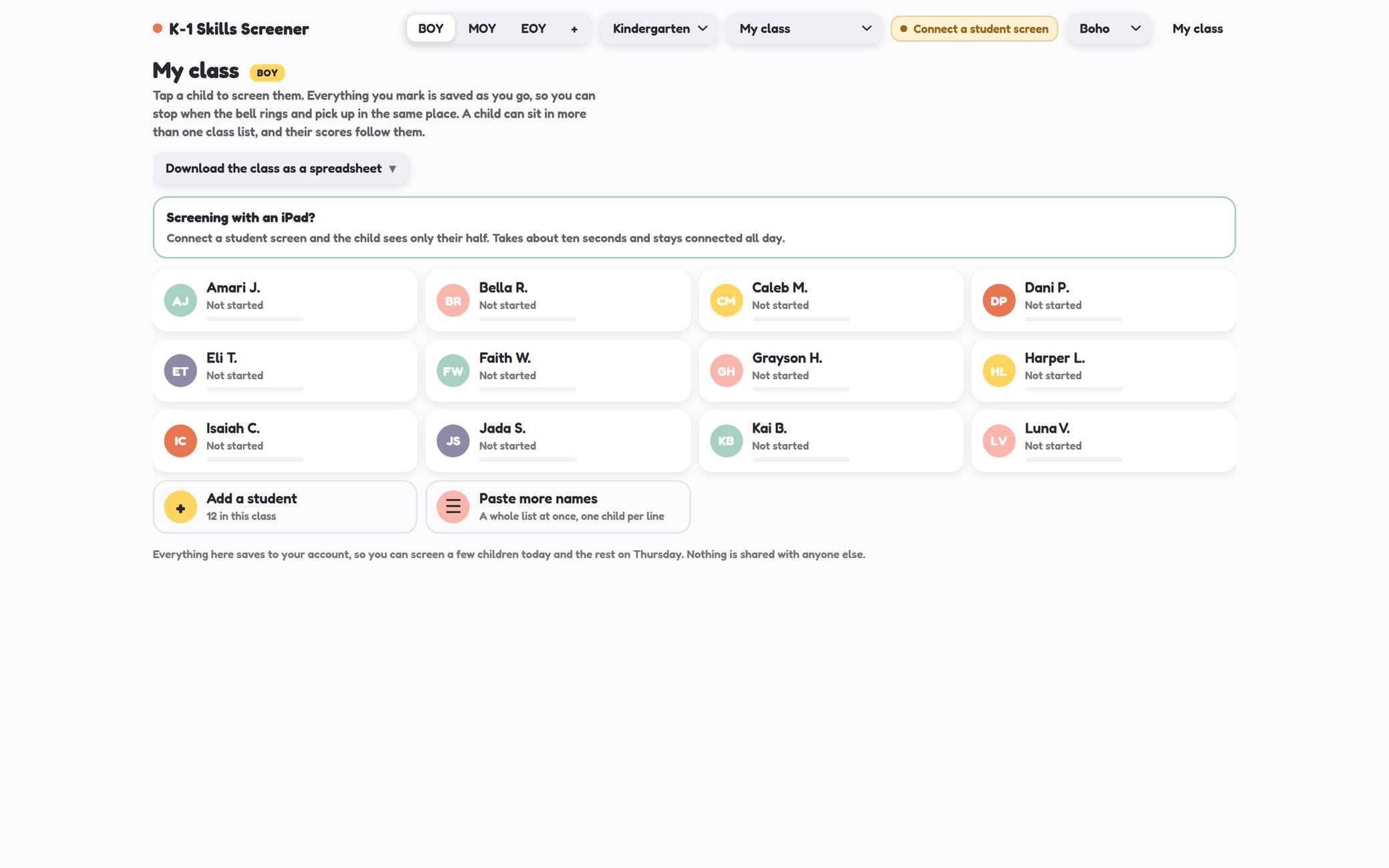
New in SeptemberK-1 Skills Screener
Spend less time organizing assessments and more time listening to your students.
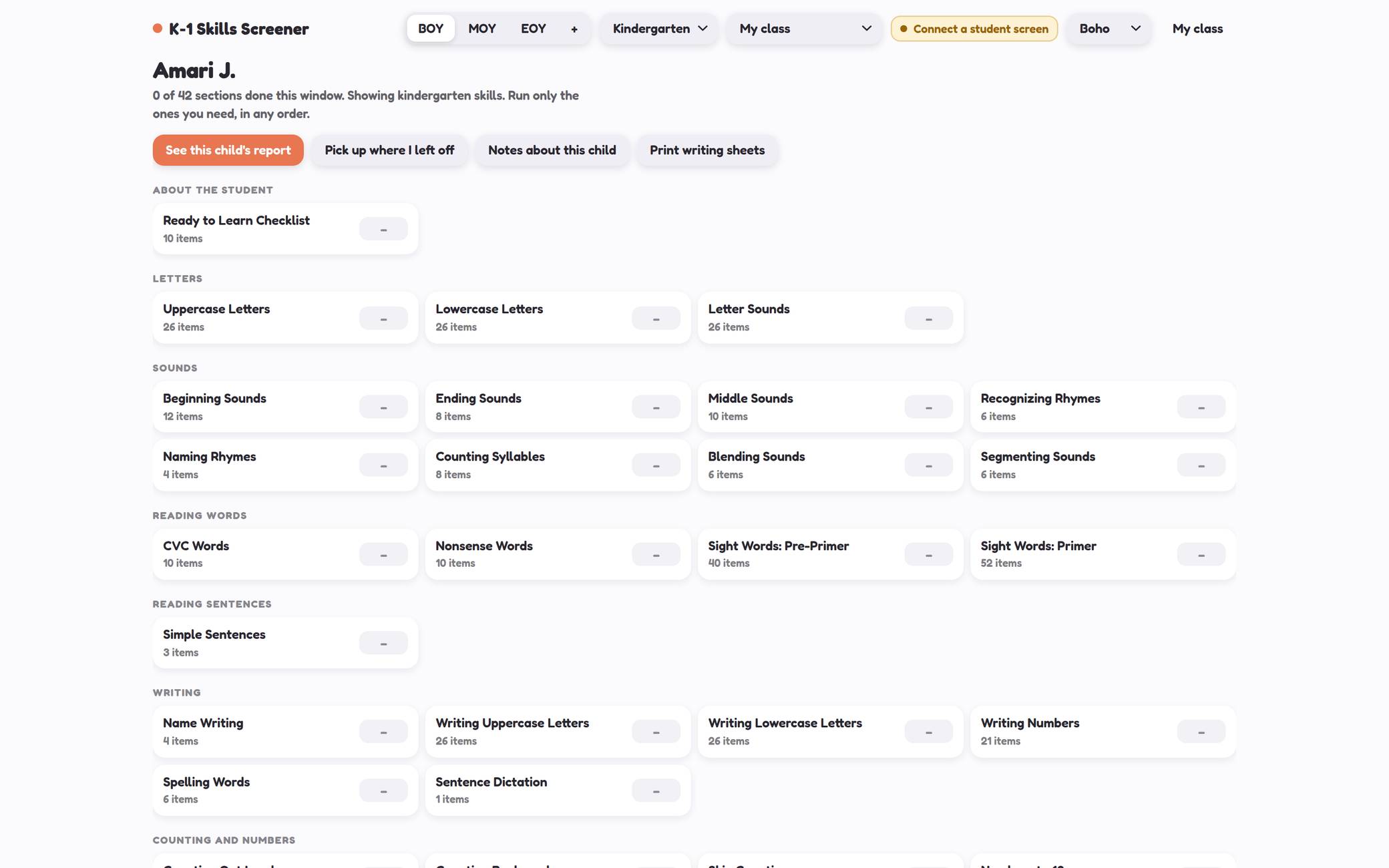
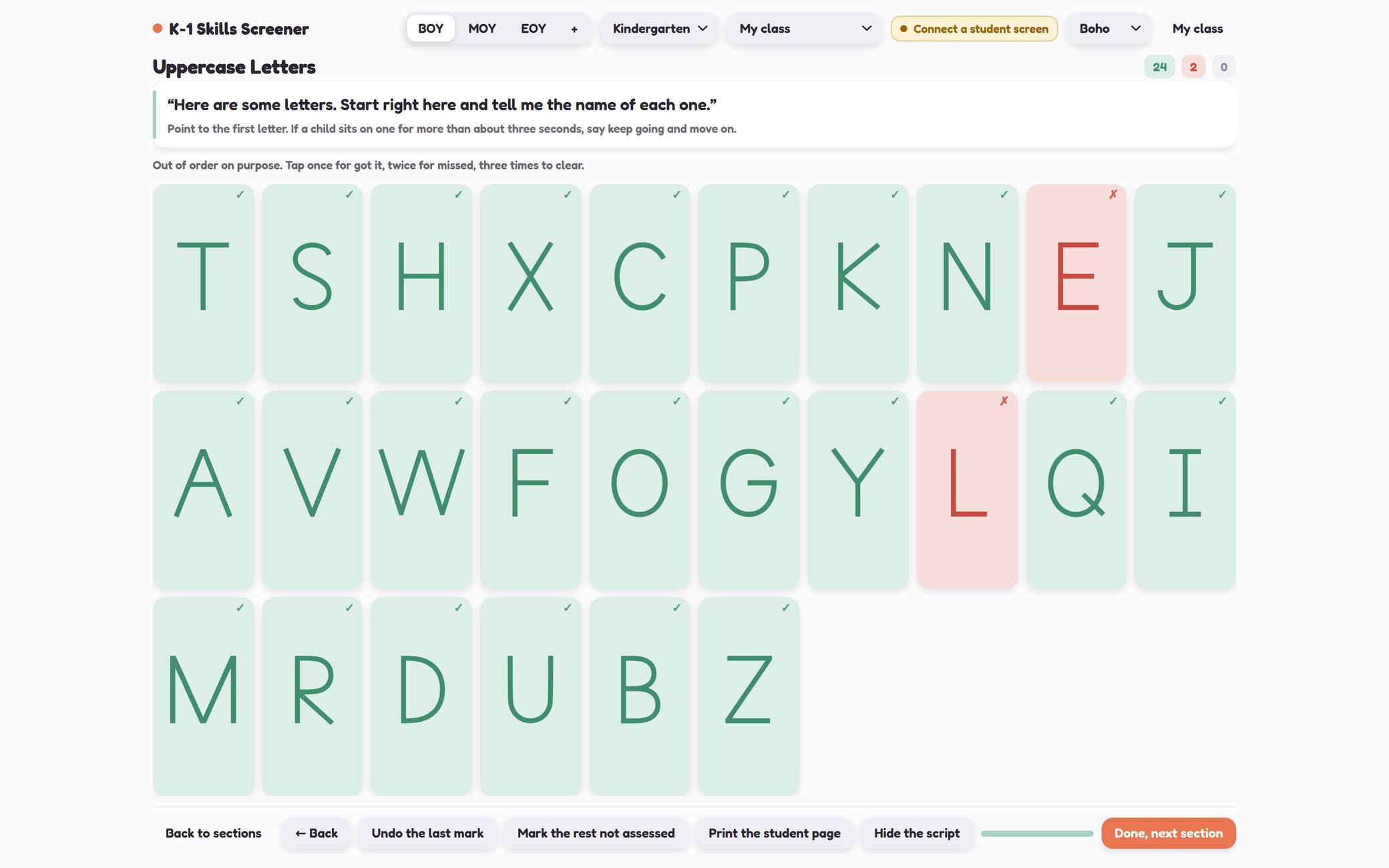
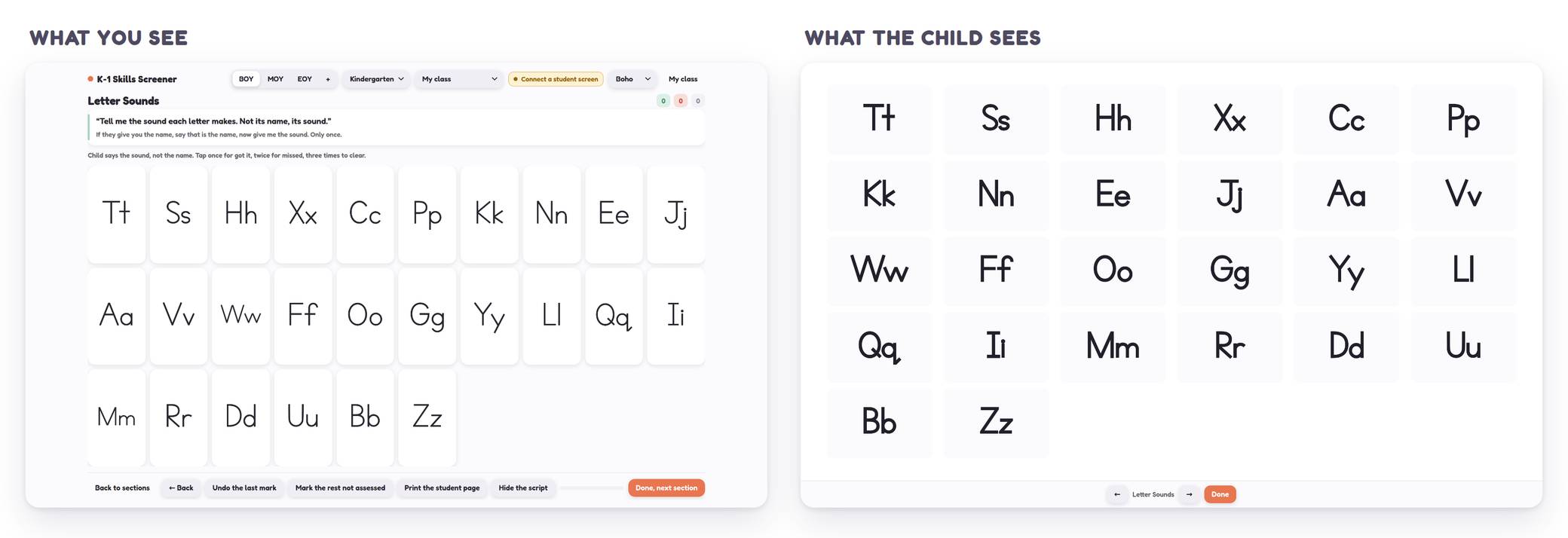
Check letters, sounds, rhyming, blending, sight words, writing, counting, comparing, shapes, and more. Choose the assessments you need and work through them in the order that makes sense for your class.
The teacher directions stay on your screen. With a paired iPad, the student sees the assessment content without your marks, scores, or teacher controls.
Record responses as you go, return to saved work, and use the reports to help organize what you’ve learned about each student.
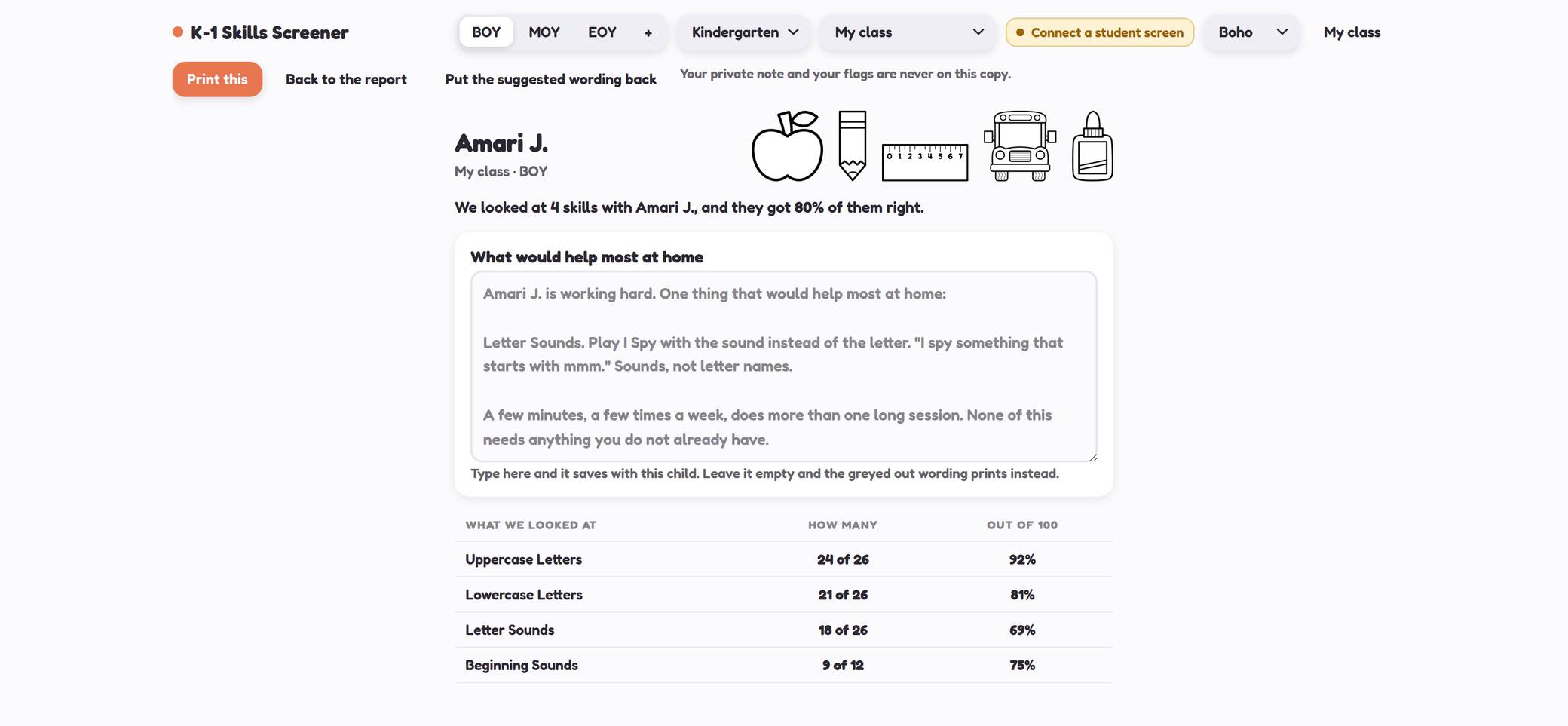
You can also create a family copy with suggested wording based on the recorded results. Review it, make any changes you want, and print it to send home.
New in SeptemberPractice Pages
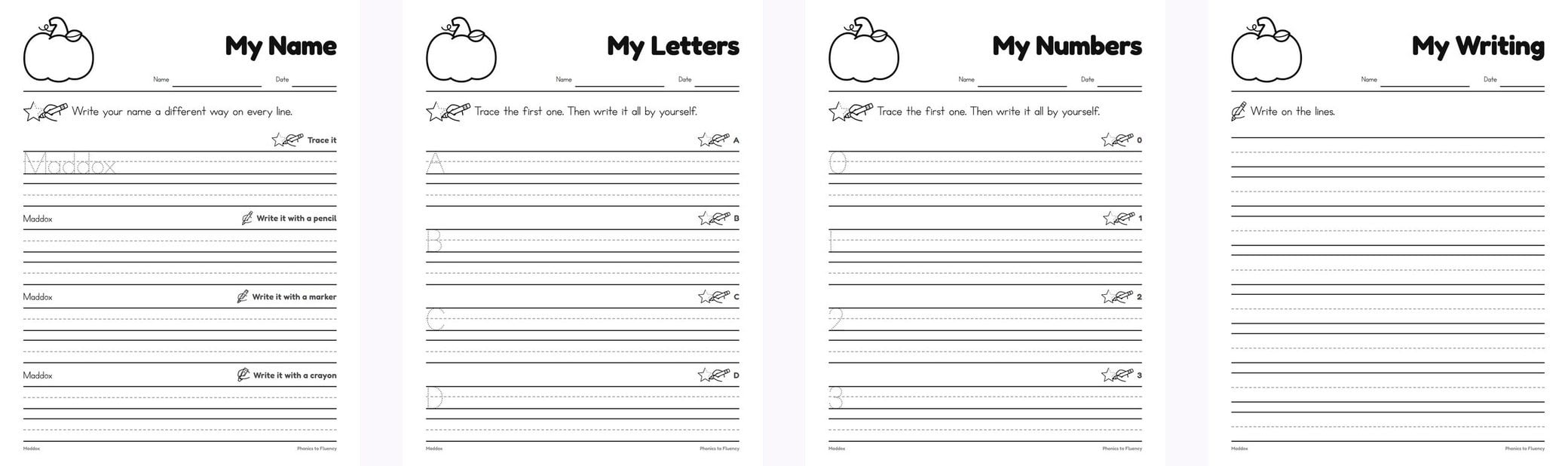
Personalized practice without typing every name onto every page.
Paste in your class list, choose the skill, and create a page for each student with their name already included.
Use it for name writing, letters, numbers, your own word lists, or plain writing paper. Choose from six name-practice styles and 40 seasonal toppers to change things up throughout the year.
The pages are black and white and ready for your copier!
Check inAttendance Check-Ins
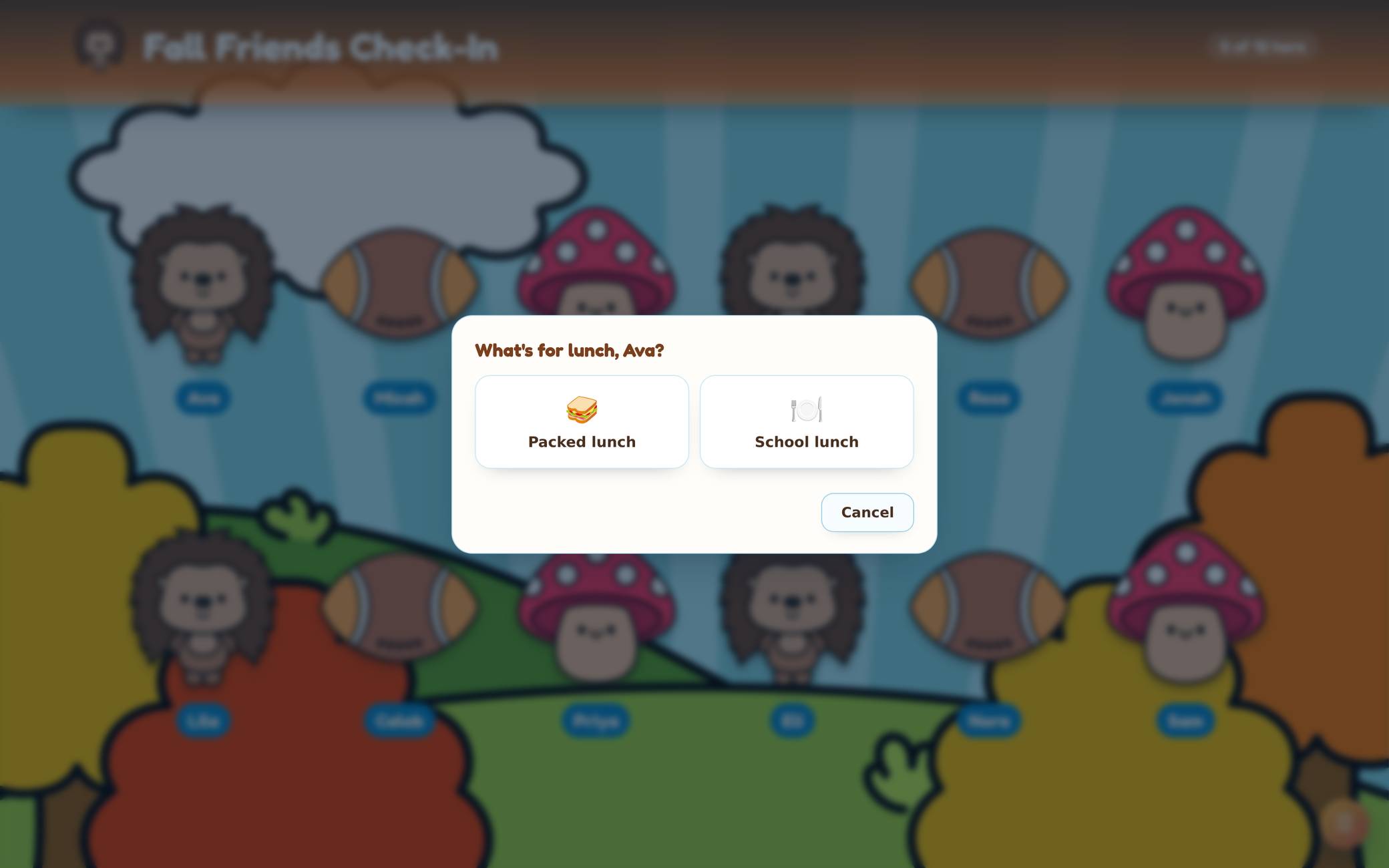
A morning routine your students can help run!
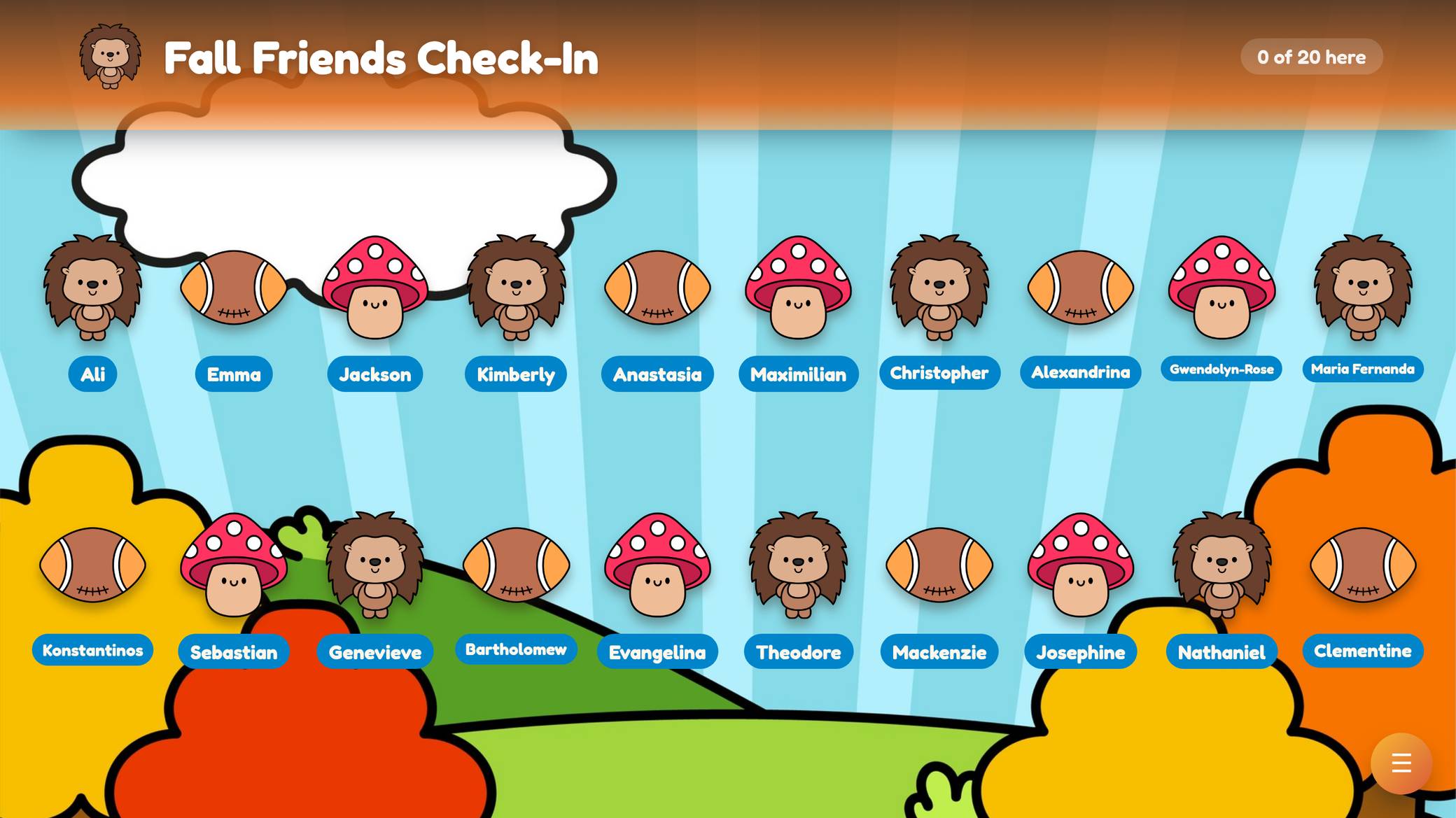
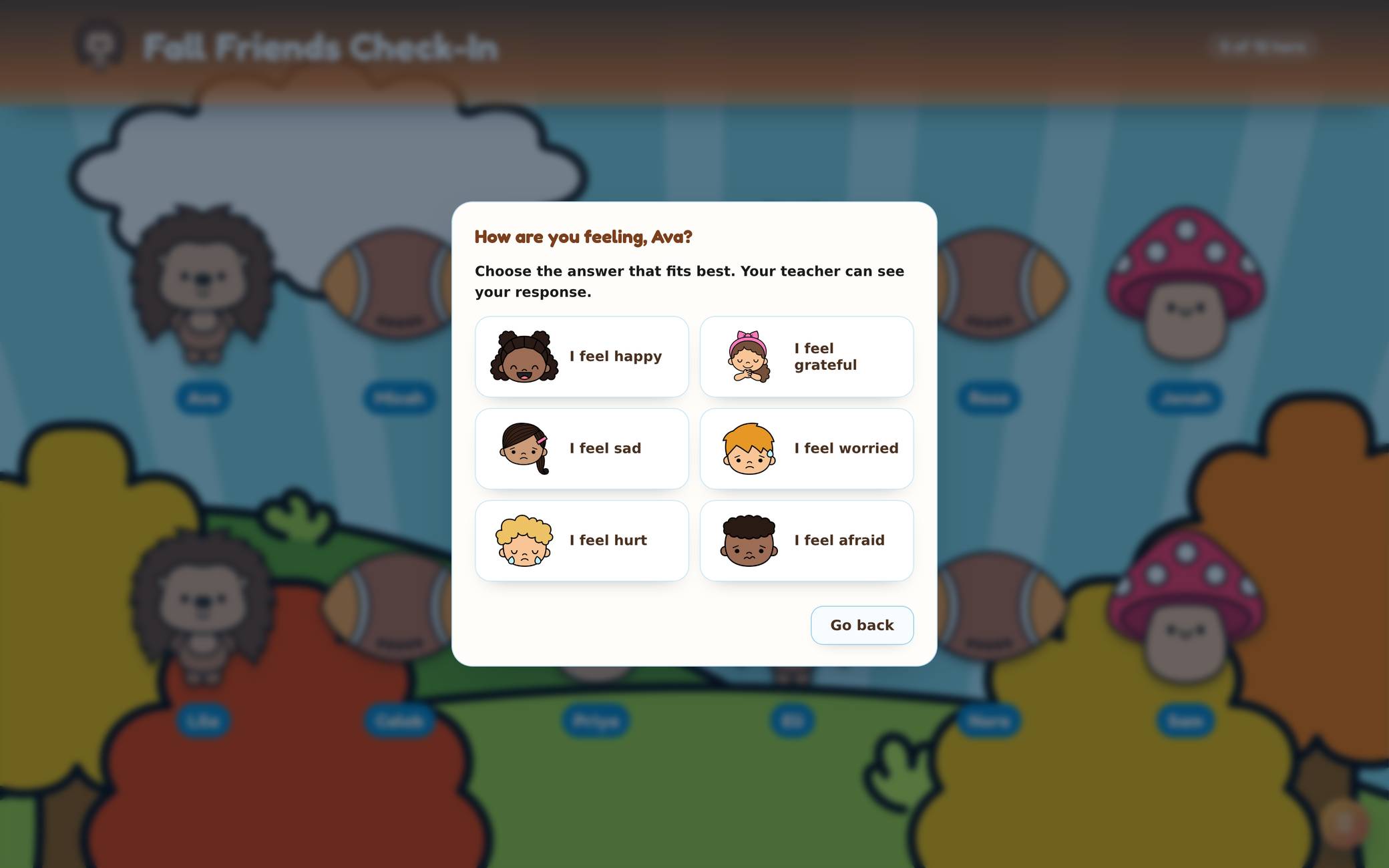
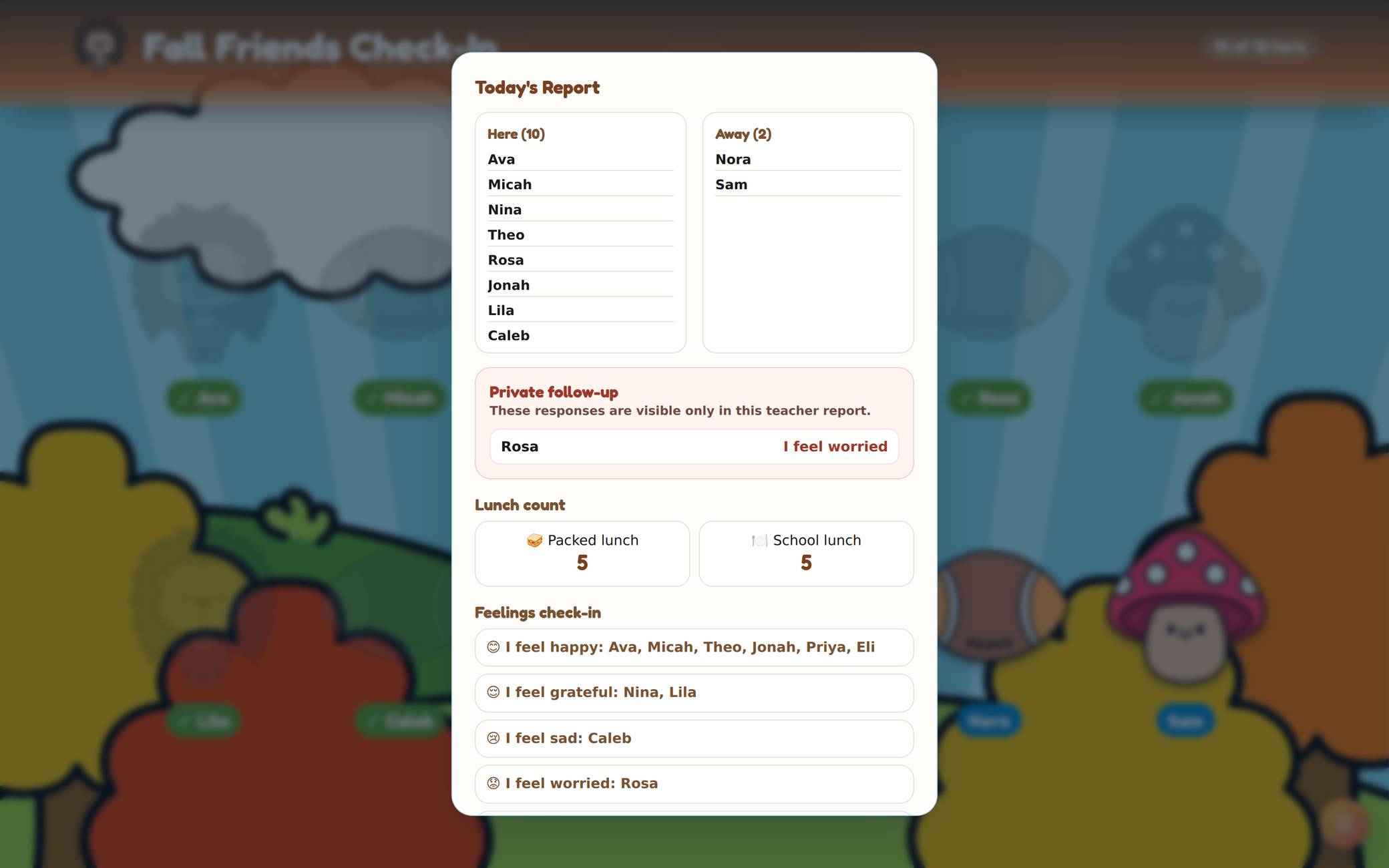
Students find their names and check in on your classroom screen. You can include lunch choices, a feelings check-in, and a daily poll, then review the information in your teacher report.
Customize the lunch and feelings choices to fit your class, including their pictures and colors.
There’s a timer, too! Keep the check-in up while students work on morning bins, and display how much time they have before the next activity.
Choose a theme to match your classroom or the season. Attendance Check-Ins also works on an iPad.
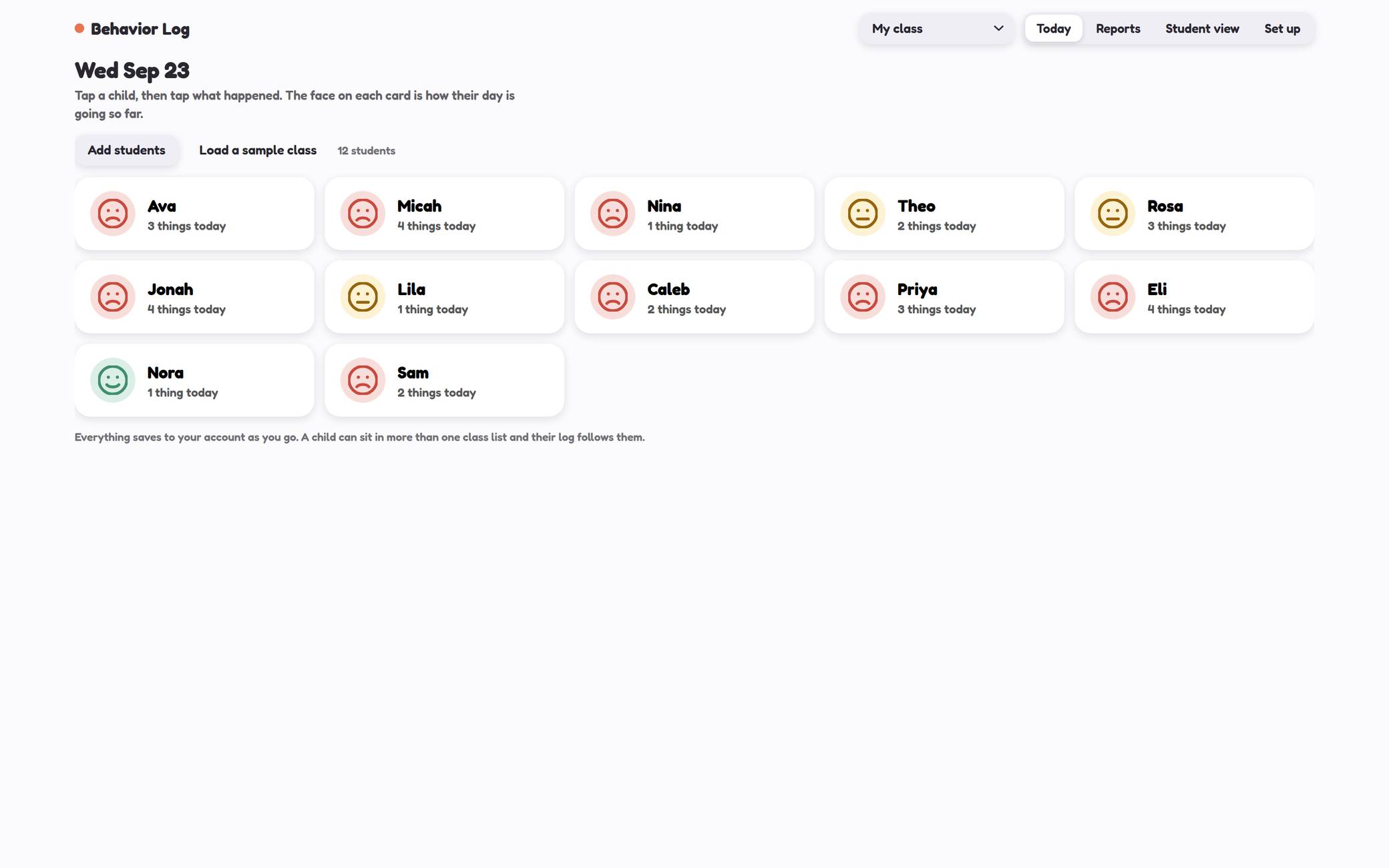
New in SeptemberBehavior Log
Keep track of what happened without relying on your memory at the end of the week.
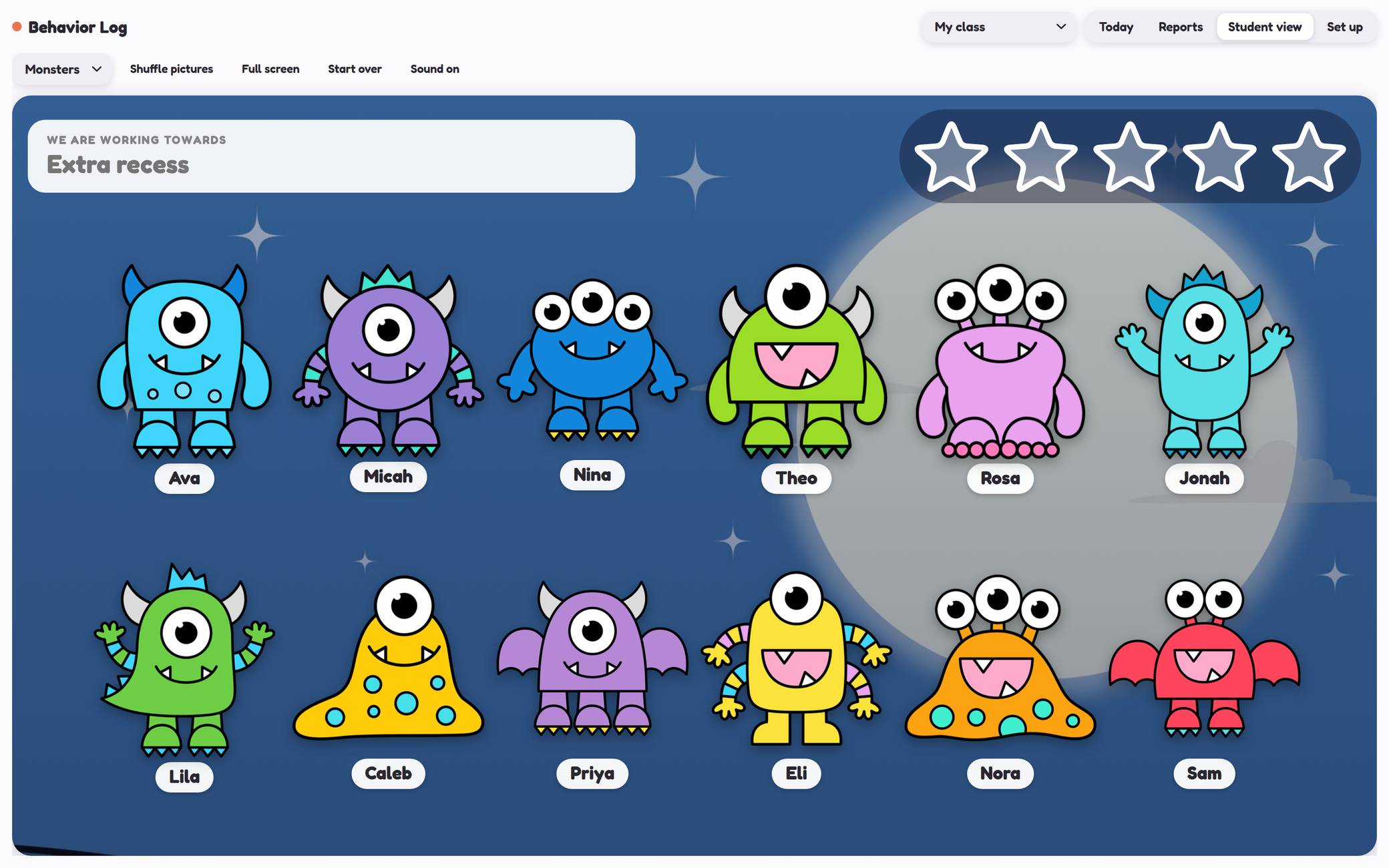
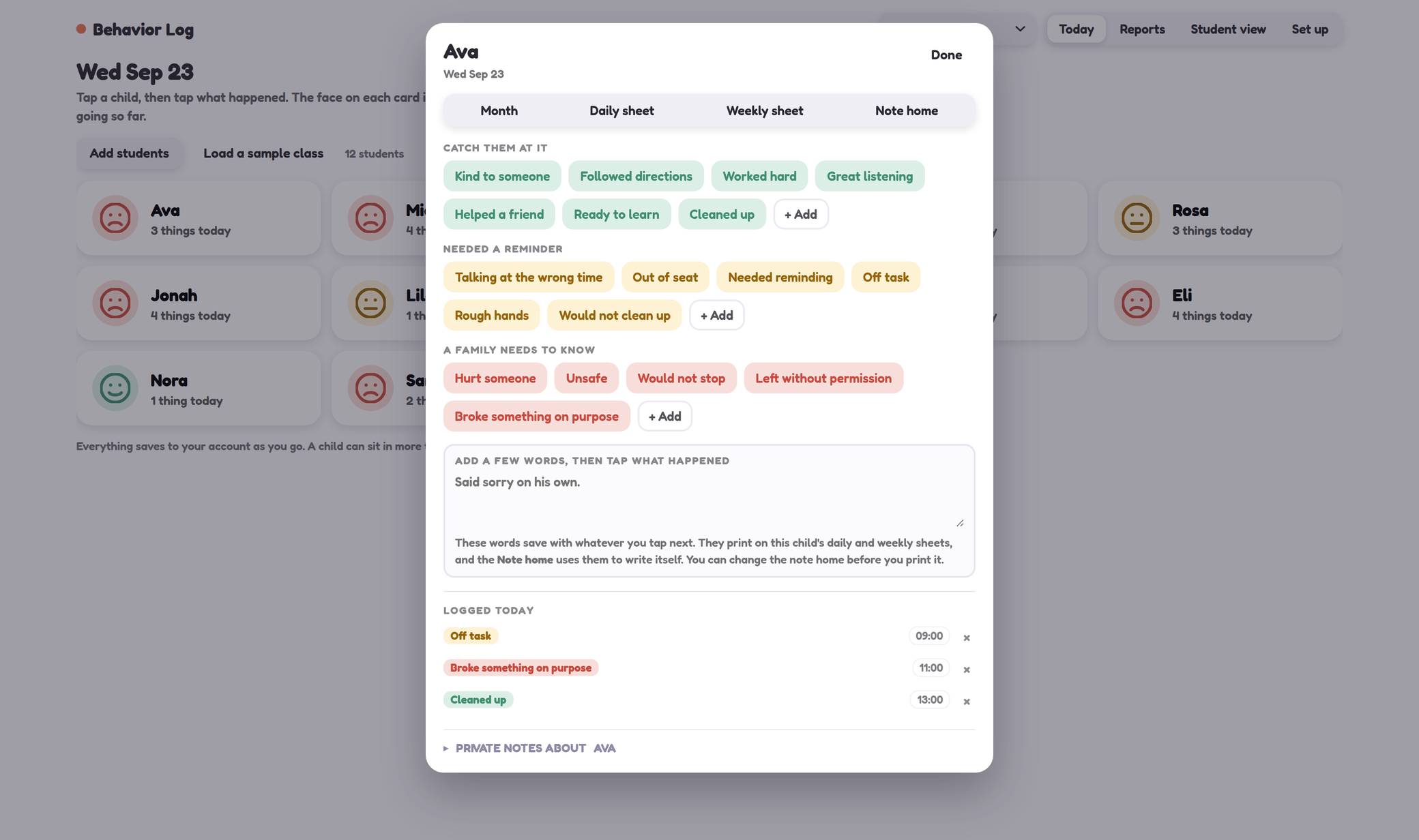
Select a student, choose the behavior, and save a timestamped entry. Record positive moments, reminders, and concerns, and add your own choices to match what you track in your classroom.
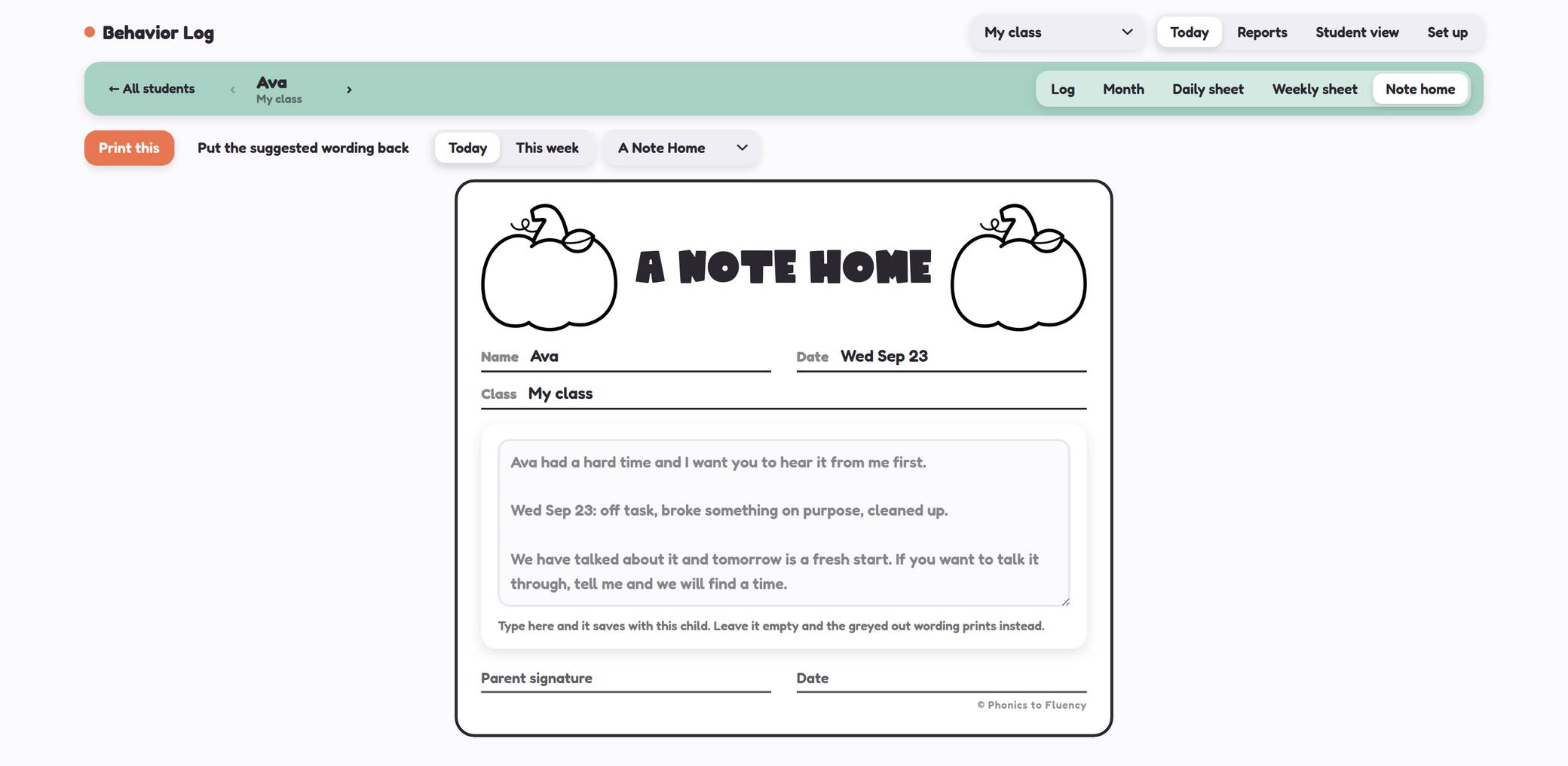
Use the daily, weekly, and monthly views to review patterns. When you need to communicate with a family, choose a note, review the suggested wording, and make it your own before printing.
The class reward board gives students a shared goal to work toward. Celebrate contributions together without displaying individual behavior concerns to the class.
Start the dayDaily Agendas
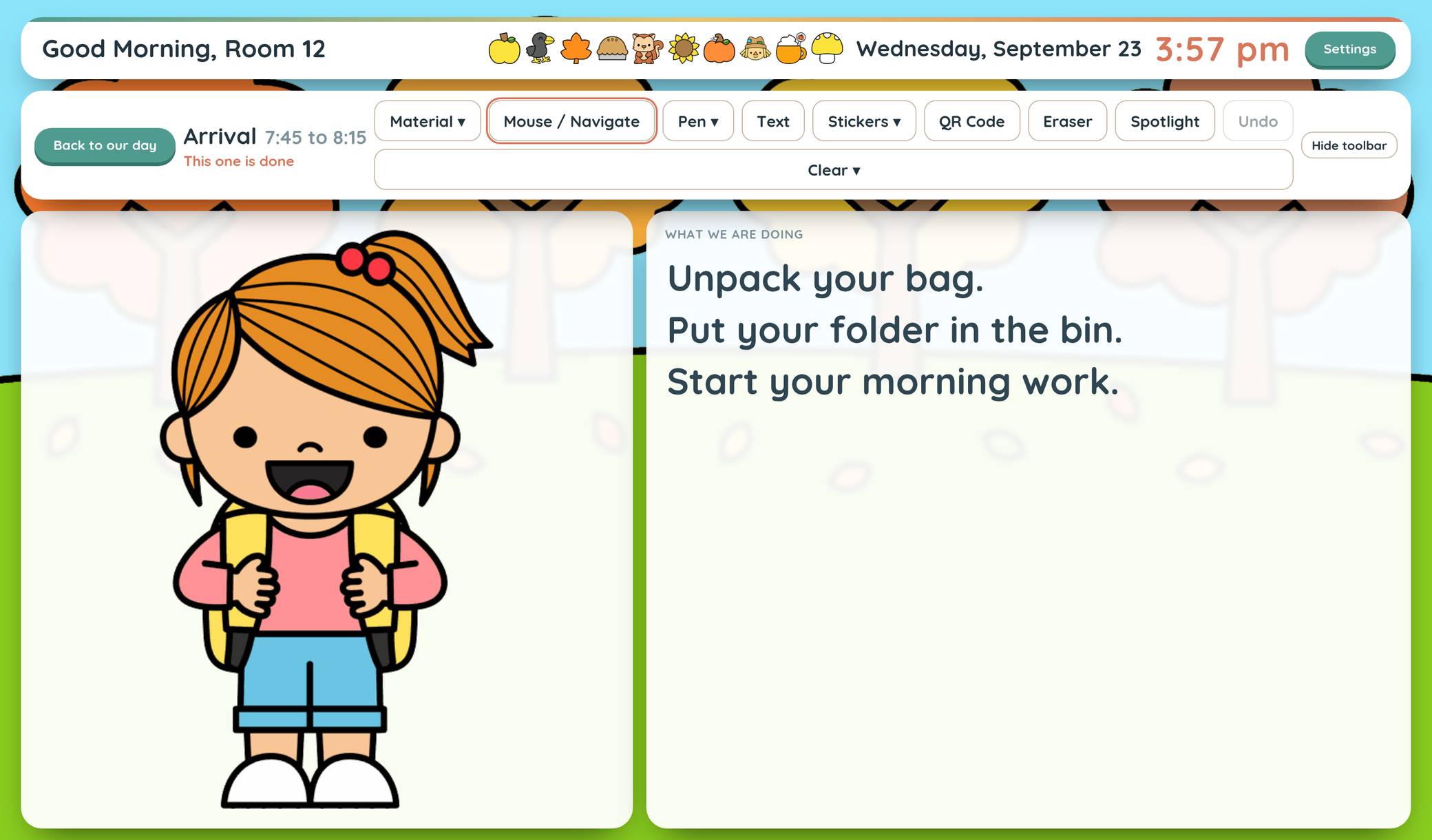
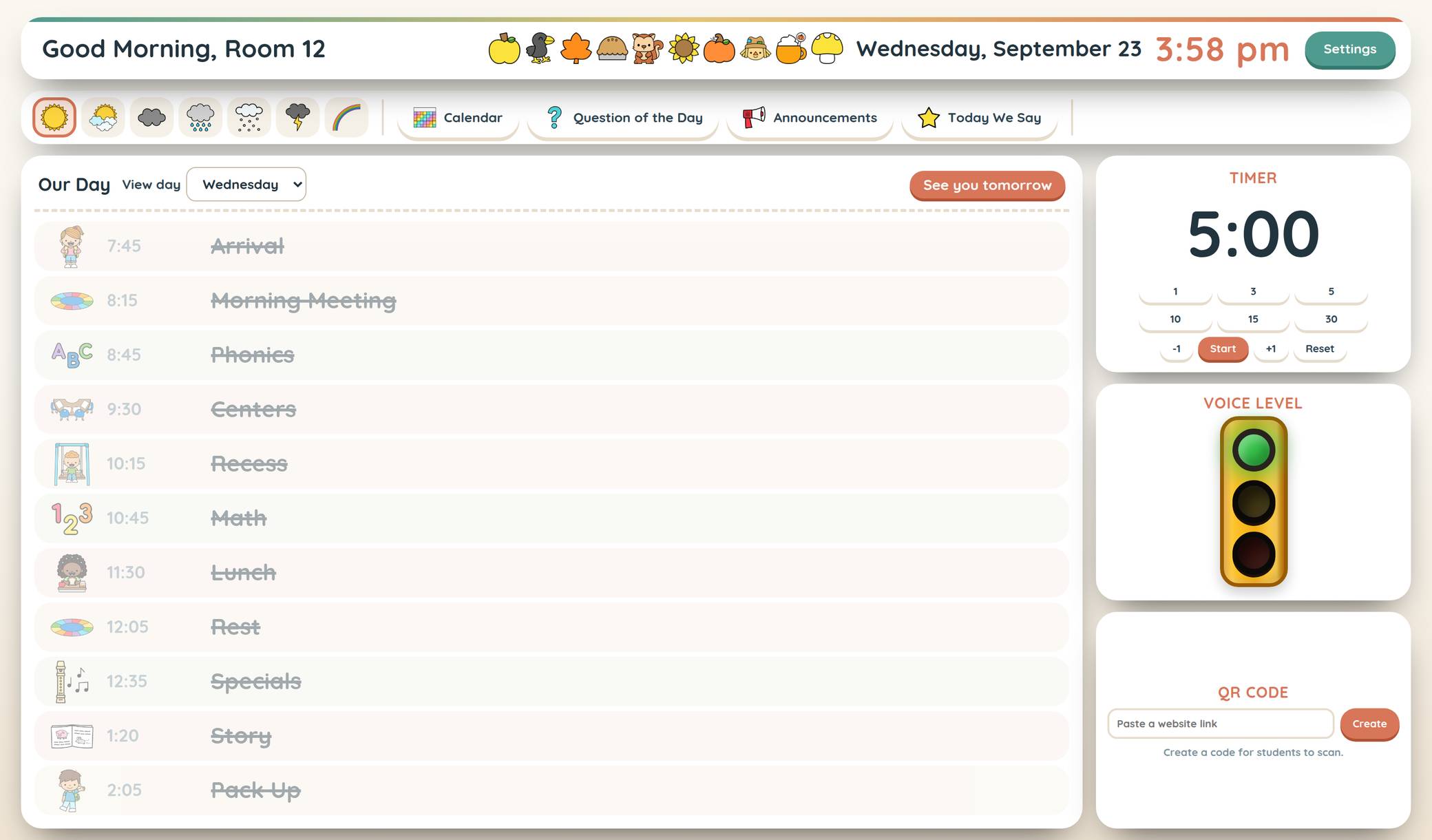
Help your students see what’s happening today, and what comes next.
Build your day with picture cards and walk through it together each morning. Open an activity to display its content, write on the board, add stickers, or spotlight something you want students to notice.
Bring in slides, a PDF, a website, a YouTube video, or your camera to support different parts of the day.
Switch themes when you’re ready for a new look. Your saved agenda stays with you, so changing the season doesn’t mean starting over.
You can print sub plans, too!
Pick and groupName Pickers, Groupers & Center Rotations
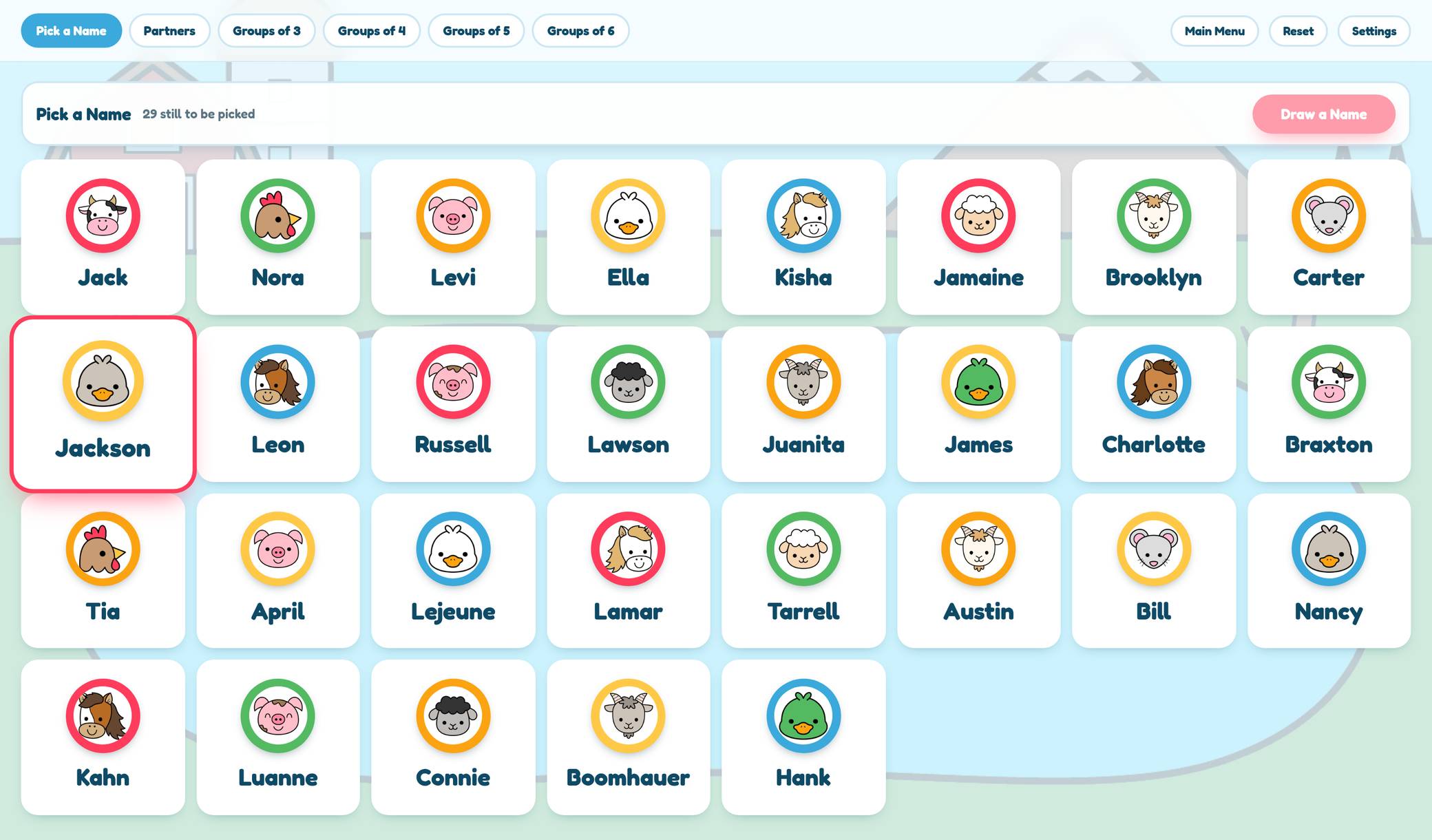
Pick a name, make your groups, and get on with the activity.
The name picker gives everyone a turn before repeating a name, and you can leave absent students out of the draw.
Create partners or groups, move a student when you need to, and set rules for students who should stay together or apart. You can also use the readiness information you enter to help build groups.
For centers, add your groups, activities, and directions, then use the timer to manage each round.
Prefer a tool just for centers? The separate Center Rotations tool lets you focus on that setup without the other picker and grouper options.
PlayGames
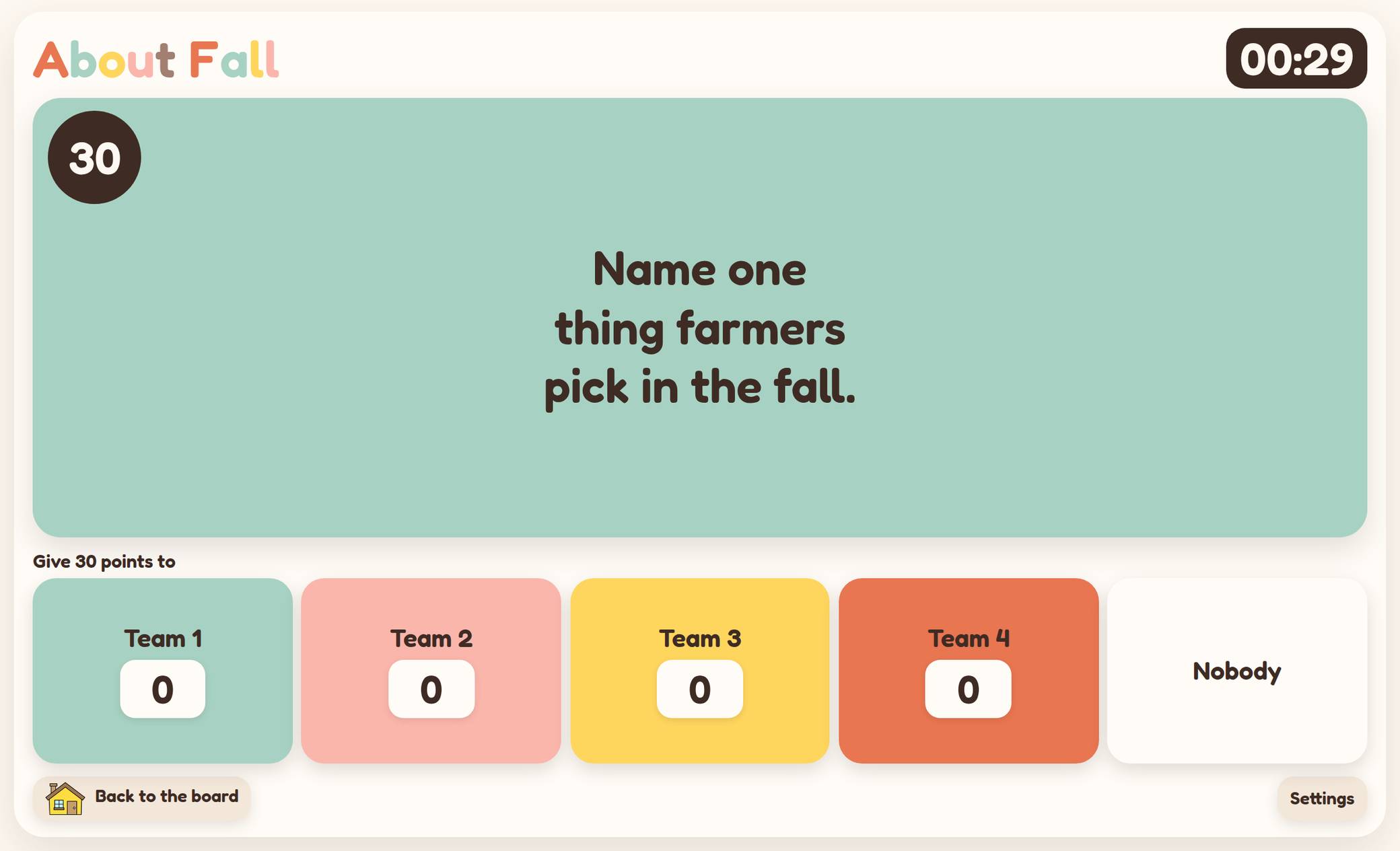
Practice the skills you’re teaching with games your whole class can join.
Choose a game, pick your content, and play on your classroom screen.
Tug of War includes 60 math skills, so you can choose the practice that matches your lesson.
Spill the Tea includes nine question packs with 225 questions, and you can edit the questions to fit what you teach. You can also award points to multiple teams when more than one answers correctly!
Morning meetingSEL Morning Meeting
“What would you do?”
Use everyday classroom situations to start conversations about choices, feelings, and how we treat one another.
Read the situation, talk through the choices, and let students explain their thinking. Use the included decks or write your own situations to match what your class needs.
Made to fit your classroom routines
Keep your setup when you change themes
Once you’ve added your class to a tool, you can switch between that tool’s themes without retyping the list.
Clear screens for young learners
Large buttons, pictures, and easy-to-follow layouts help students participate in classroom routines.
Change the look throughout the year
Choose seasonal or year-round themes. The included themes, and new ones added during your membership, are part of the same price.
What devices can I use?
Your computer and classroom screen
The tools are designed primarily for a computer and a larger classroom display. Open them in your browser and project or connect to your board.
An iPad
Attendance Check-Ins and the K-1 Skills Screener support iPad use. The screener also has a paired student screen for showing assessment content separately from your teacher controls.
A phone
For the best experience, use a computer or a supported iPad setup. The full collection isn’t currently designed for a phone-sized screen.
One price, everything included
Your rate stays the same for as long as your membership remains active.
- All included classroom tools
- Seasonal and year-round themes
- New tools and themes added during your membership
- No student accounts or software installation
- Direct support from me when you need help
A card is required to begin. Your subscription renews at $29 a year after the 14-day trial unless you cancel before it ends.
Purchasing for your school or district?
School licenses are available for 10 or 50 teachers, with purchase orders accepted and Net 30 invoicing.
Want to try the free tools first?
You can! The free name picker and selected check-ins are still available on my site.
Try them with your class and see what you think. The membership gives you more options, more themes, and the rest of the Classroom Tools collection.
Enter your email and I’ll send them to your inbox.
Schools and districts
School licenses made simple
Request an invoice
Choose the license your team needs. You can request a W-9 with your quote.
Pay by check or bank transfer
Purchase orders are accepted. Add your PO number so it can appear on the invoice.
Assign seats to your teachers
Teachers use your school’s code to claim a seat. If staffing changes, you can release a seat and assign it to another teacher.
No account is needed to request a quote. You’ll hear back within one business day.
Have a question?
How much does the membership cost?
$29 a year, with a 14-day free trial before your first charge. You keep that yearly rate while your membership stays active.
Do my students need accounts?
No! You sign in to your teacher account. Students participate on your classroom screen or use the screener’s paired student screen with a connection code.
Do I enter my class list separately for each tool?
Yes, you currently enter your list once in each tool you use. Within that tool, your list carries across its themes, so changing the theme doesn’t mean entering the names again.
Will it work on my classroom board?
The tools run in a browser and are designed for classroom displays. You can use a connected computer or your board’s browser, depending on your setup.
If you run into a problem, send me the board model, browser, and what’s happening so I can help.
Can I use it on an iPad or phone?
Attendance Check-Ins and the K-1 Skills Screener support iPad use. Most of the collection is designed for a larger screen, so a computer and classroom display will give you the best experience.
The full collection isn’t currently designed for phones.
Do seasonal themes cost extra?
No! All included seasonal and year-round themes are part of your membership. New themes added while you’re a member are included, too.
What happens if I cancel?
Canceling stops your subscription from renewing. You keep access through the end of your trial or paid membership period.
Do I need to install anything?
No! Open the tools in your web browser and sign in. You’ll need an internet connection, and access on a school network depends on your district’s settings.
Ready to try it with your class?
Start your 14-day free trial and explore the tools in your own classroom.
$29 a year after your trial, and you keep that rate while your membership stays active. A card is required. Cancel before the trial ends to avoid being charged.
I’m excited for you to try it!
Kisha, Phonics to Fluency
New this week: the Classroom Board, Canva slides, and boards you can reorder.
Clip art by
Miau Clipart
and
Bunny On A Cloud.
Terms of Use ·
Privacy Notice ·
Email me
© 2026 Phonics to Fluency. All rights reserved.