Random Name Generator Picker Center Rotations Editable Station Rotations Kinder
$0.00
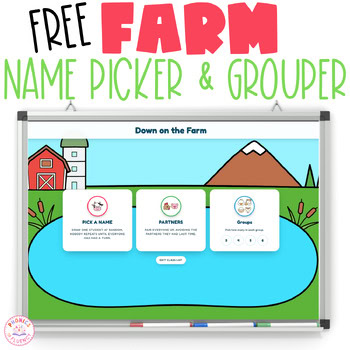
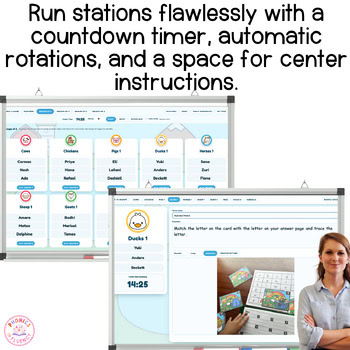
Pick a name, make partners, and run center rotations with a farm theme, without popsicle sticks. Tap once and the highlight travels across your class and lands on one student. Tap again for partners, or groups of three to six, each with its own farm animal. Built for PreK, Kindergarten & 1st Grade.
Pick a name, make partners, and run center rotations with a farm theme, without popsicle sticks. Tap once and the highlight travels across your class and lands on one student. Tap again for partners, or groups of three to six, each with its own farm animal. Built for PreK, Kindergarten & 1st Grade.
What it does
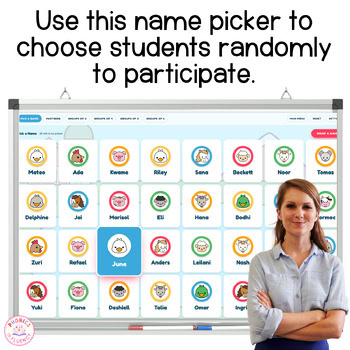
- Random name picker, and nobody repeats until everyone has had a turn
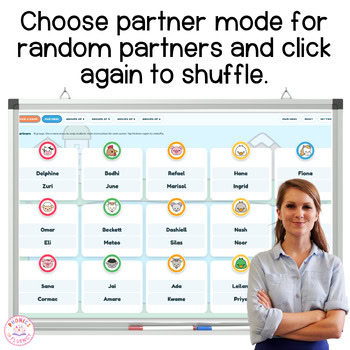
- Partners that avoid the partner they had last time
- Groups of 3, 4, 5, or 6, each with its own animal and an editable group name
- Move any student by hand, and anyone landing in two groups turns red until you fix it
- Mark who is absent and they stay out of the draw and out of the groups
- Center rotations with a name, directions, and a picture for each center
- One timer for the whole room, rotate by hand or let it rotate itself
- Choose the font and size for center directions, with easy-to-read options for early readers
- Paste your class list once; it remembers your groups and centers tomorrow
- Runs in any browser on a computer, tablet, or smartboard
No app. No student logins. No accounts. Nothing to print.
How it works
- Paste your class list, one name per line
- Tap Pick a Name, Partners, or a group size
- Project it, type what students do at each center, and start the timer
Please note: ⚠️ Important Saving Information ⚠️
This digital tool saves teacher-entered information locally in the browser on the device being used.
Saved schedules, class lists, pictures, directions, and settings will remain available when the teacher returns using the same device and browser profile.
Information does not automatically transfer or sync between computers, phones, browsers, or browser profiles, even when the teacher is signed into the same Google or browser account.
Using private/incognito mode, clearing browser or website data, or school-managed browser cleanup may remove saved information.
This resource does not include cloud storage, accounts, or cross-device synchronization.
You should download, print, or save important information when the tool provides that option.
Thanks for being here.
If this works well in your classroom, a review helps another teacher find it.
See something that needs fixing? Email me at ki***@**************cy.com and I will take care of it.
Kisha
Reviews
There are no reviews yet.